
In today’s fast-paced digital era, students are juggling assignments, research, coding tasks, and presentations like never before. AI tools are transforming learning by providing smart solutions for writing, studying, research, and productivity. From free to paid options, these AI-powered applications help students save time, boost accuracy, and enhance overall academic performance. In this guide, we explore the best AI tools for students in 2026, helping you study smarter, stay organized, and achieve academic success effortlessly.
Why Students Need AI Tools in 2026
The educational landscape is evolving rapidly. With online classes, digital research, and remote learning becoming the norm, students need smarter solutions to manage their workload efficiently. AI tools help students in multiple ways:
Writing Assistance: Correct grammar, enhance style, and even generate ideas.
Research: Quickly find accurate information with sources cited.
Organization: Manage notes, projects, and deadlines efficiently.
Coding & Tech: Debug programs and learn faster with AI suggestions.
Design & Presentations: Create visually appealing slides and infographics easily.
Using AI tools effectively helps students save hours of manual work, stay organized, and improve their academic performance.
Best AI Tools for Students (Free + Paid)
| AI Tool | Free/Paid | Key Features | Pricing (Paid) |
|---|---|---|---|
| ChatGPT | Free + Paid | Essay writing, summaries, coding help | ChatGPT Plus: $20/month |
| Grammarly / GrammarlyGO | Free + Paid | Grammar correction, plagiarism check, AI rewriting | Premium: $12/month |
| Notion AI | Free + Paid | Notes, project management, summarization | Personal Pro: $8/month |
| Otter.ai | Free + Paid | Lecture transcription, searchable notes | Pro: $12.99/month |
| QuillBot | Free + Paid | Paraphrasing, summarizing, rewriting | Premium: $9.95/month |
| Perplexity AI | Free | Instant research, cited sources | Free |
| Canva Magic Studio | Free + Paid | Slide & poster design, templates | Pro: $12.99/month |
| Microsoft Copilot / GitHub Copilot | Free via Student Pack + Paid | Coding assistance, debugging | GitHub Copilot: $10/month |
1. ChatGPT – AI Writing & Study Assistant
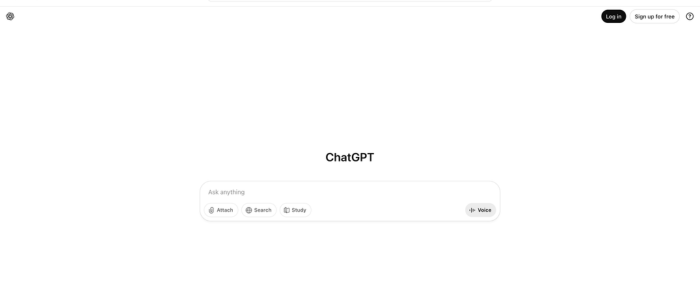
ChatGPT is a powerful AI tool for students that helps with essay writing, homework, brainstorming, and even coding tasks. The free version allows basic access, while the paid ChatGPT Plus plan unlocks advanced AI models with faster response times and better reasoning capabilities.
Students can use ChatGPT to generate study notes, summarize topics, or get explanations for complex subjects. It’s perfect for high school and college students who want instant academic help.
Pros:
Fast and accurate responses
Multi-subject support
Can generate essays, summaries, and study notes
Helps with coding and brainstorming
Cons:
Advanced features are only in the paid version
May sometimes give generic answers
Requires an internet connection
2. Grammarly / GrammarlyGO – Writing & Grammar
Grammarly is one of the most widely used AI tools for writing improvement. Its free version helps with basic grammar and spelling corrections, while the premium plan includes advanced grammar checks, plagiarism detection, and tone enhancement.
Students can use Grammarly to improve their essays, reports, emails, and academic papers, ensuring clear, error-free writing every time. GrammarlyGO adds AI-powered rewriting and content generation, saving even more time.
Pros:
Corrects grammar, spelling, and tone
Plagiarism detection (premium)
AI rewriting and content suggestions (GrammarlyGO)
Easy-to-use interface
Cons:
Free version has limited features
Premium plan is paid monthly
Doesn’t create original content, only enhances it
3. Notion AI – Note-Taking & Organization

Notion AI transforms the way students organize notes, manage projects, and plan study schedules. Its AI features help summarize notes, generate ideas, and keep tasks organized in a single workspace.
The free version provides basic note-taking and AI assistance, while the paid plan unlocks more advanced features for faster AI responses and collaborative project management.
Pros:
Helps organize notes and projects efficiently
Summarizes and generates ideas
Collaborative features for group projects
Cons:
Some advanced AI features require a paid plan
Learning curve for new users
Limited offline functionality
ALSO READ: Top 5 Free AI Tools That Help You Make Money Online (2025)
4. Otter.ai – Lecture Transcription

Otter.ai is an AI-powered transcription tool that converts lectures, seminars, or study sessions into searchable notes. The free version provides limited monthly transcription minutes, while the paid version allows longer recordings and advanced features.
Students can use Otter.ai to review lectures, highlight key points, and prepare for exams efficiently. This tool is especially helpful for online classes and recorded sessions.
Pros:
Converts audio lectures to text automatically
Searchable and editable transcripts
Saves time on note-taking
Cons:
Free plan has limited transcription minutes
May require manual corrections for accuracy
Needs internet connection
5. QuillBot – Paraphrasing & Summarizing
QuillBot is an AI tool that assists students with paraphrasing, summarizing, and rewriting content. The free version allows basic paraphrasing, while the premium plan includes bulk processing and multiple writing modes.
It is perfect for students who need help drafting essays, assignments, or research papers quickly. QuillBot also ensures plagiarism-free rewriting, which is crucial for academic integrity.
Pros:
Quick paraphrasing and summarizing
Multiple writing modes (premium)
Ensures plagiarism-free content
Cons:
Free version has limits on word count and modes
Premium plan is subscription-based
AI-generated text may require manual editing
6. Perplexity AI – Research & References

Perplexity AI is a free research tool that helps students find answers instantly with cited sources. It’s ideal for creating research papers, assignments, and study notes.
Students can type questions and receive concise, accurate responses that save hours of manual research. This tool is particularly useful for university-level research and projects.
Pros:
Instant answers with cited sources
Free tool, easy to use
Saves hours of research
Cons:
Limited depth for complex academic research
Relies on online sources
May not always have the latest data
7. Canva Magic Studio – Design & Presentations

Canva’s Magic Studio uses AI to create slides, posters, and visual content effortlessly. The free version includes many templates and basic AI design features, while the paid plan offers advanced templates, AI-generated graphics, and premium assets.
Students can use Canva for class presentations, project visuals, and creative assignments without needing advanced design skills.
Pros:
Creates visuals and slides effortlessly
Templates for presentations, posters, and infographics
AI-generated design features
Cons:
Free version has limited templates and assets
Advanced graphics require a paid plan
Some features need an internet connection
8. Microsoft Copilot / GitHub Copilot – Coding & Tech

Microsoft Copilot and GitHub Copilot are AI tools designed for coding assistance and technical projects. Students get free access via the Student Pack.
These tools suggest code, debug errors, and accelerate learning for computer science and programming assignments. Copilot makes coding easier and helps students understand complex programming concepts quickly.
Pros:
Suggests code and helps debug
Accelerates coding assignments
Supports multiple programming languages
Cons:
Full features require a subscription or student pack
Best suited for programming students
Internet required for AI suggestions
How to Choose the Right AI Tool
Choosing the right AI tool depends on your specific academic needs:
Free vs Paid: Start with free tools, upgrade if you need advanced features.
Functionality: Pick tools based on writing, research, coding, design, or note-taking.
Ease of Use: Ensure the interface is student-friendly.
Compatibility: Works on your devices (Windows, Mac, Android, iOS).
Tips to Use AI Tools Effectively
Schedule AI Usage: Integrate tools into your daily study routine.
Avoid Plagiarism: Use paraphrasing and summarizing features wisely.
Combine Tools: Use multiple AI tools for maximum efficiency.
Stay Updated: Many AI tools update frequently with new features.
Experiment: Test free versions before upgrading to premium.
ALSO READ: Free AI Certification Courses for Students in India (2025 Guide)
Future of AI in Education
AI is transforming education and will continue to do so in 2026 and beyond. Students can expect:
Smarter Research Tools: AI provides in-depth analysis and references.
AI Tutors: Personalized learning experiences.
Exam Preparation: AI-based practice and adaptive learning.
Collaborative AI Tools: AI assisting group projects and presentations.
Students who embrace AI tools early will gain a competitive edge in learning, productivity, and skill development.
Conclusion
AI tools are now essential for students who want to study smarter, save time, and improve performance. From writing and research to coding and presentation design, these tools cover almost every aspect of student life.
Start with free tools like ChatGPT, QuillBot, and Perplexity AI, and upgrade to paid versions for advanced features. By leveraging AI wisely, students can enhance learning, stay organized, and excel academically in 2026.
Try at least one AI tool today and see how it improves your study efficiency!
ALSO READ: How to Earn Money with Canva AI (Complete Guide 2025)
How to Create a YouTube Script Using AI Tools (Beginner-Friendly Guide 2025)
Best AI Productivity Tools in 2025 to Supercharge Your Workflow
FAQs - Best AI Tools for Students (Free + Paid)
Q1. Are these AI tools free for students?
Many AI tools offer free versions, and some provide student-specific free access. You can start with free plans and upgrade to premium features if needed.
Q2. Which AI tool is best for writing assignments?
ChatGPT and Grammarly are highly effective for essay writing, grammar corrections, and idea generation.
Q3. Can AI replace teachers?
No. AI tools are designed to assist learning, not replace teachers. They enhance efficiency and understanding.
Q4. Do these tools work offline?
Most AI tools require an internet connection, though some offer limited offline features.
Q5. How can students avoid plagiarism using AI tools?
Always paraphrase, summarize, and cite sources when using AI-generated content to maintain academic integrity.
Q6. Which AI tool is best for research and references?
Perplexity AI and ChatGPT are excellent for quick, accurate research with cited sources.
Q7. Can AI tools help with coding assignments?
Yes. Microsoft Copilot and GitHub Copilot assist in writing, debugging, and understanding code effectively.
Q8. Are paid AI tools worth it for students?
Paid plans unlock advanced features like faster responses, plagiarism checks, bulk processing, and more productivity tools. They’re worth it if you need in-depth assistance regularly.
Comments (0)
Be the first to comment.