
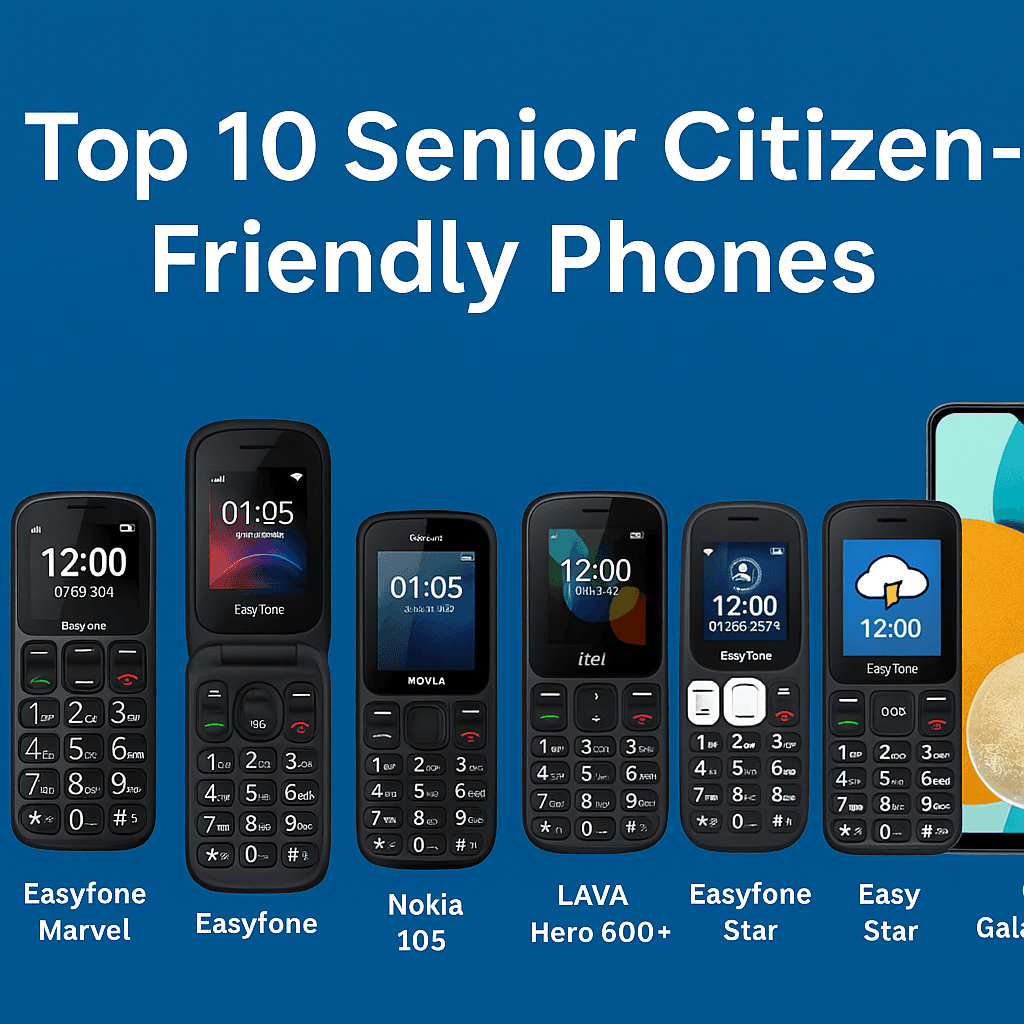
As people grow older, technology can either become helpful or difficult to use. Many seniors struggle with smartphones due to small buttons, complex menus, or low volume.
If you're looking for the best phones for senior citizens in India, this guide covers the top 10 options in 2026 with features, pros, cons, and buying tips.
Whether phone options are being sought for parents or grandparents, we have laid out the Top 10 Senior Citizen-Friendly Phones in India, featuring specifications, pros and cons, and buying tips based on firsthand experience. Now, to the list!
Why Senior Citizens Need Specialized Phones
Physical Accessibility Features
Age-related physical issues will include arthritis, reduced grip strength, and decreased tactile sensation, among other challenges you may face. Phones that have larger and distinct physical buttons, textured surfaces, and a light feel are less likely to be dropped.
Cognitive Simplicity and User Interface
Devices that are easy to navigate, have clear icons, make calls with a button press, and have straightforward menus that limit the amount of information to reduce frustration for seniors who interact with overly complex devices. Simple, user-friendly devices also diminish barriers for users with possible memory or cognitive issues.
Cochlear implant / Hearing Aid
An important feature, particularly for users with hearing aids, is an M-rating and T-rating (e.g., M4/T4). This indicates how well the device works with hearing technology. Many senior phones will take this into account, providing their users with transmission of audio that is transferable and as clear as possible.
Key Features to Look for in Senior-Friendly Phones
1. Large Buttons or a Touch-Friendly Screen
Most seniors want a phone that has simple buttons that are large, with ample space between buttons, making it easy to push. If it is a touchscreen phone, then at least the user interface is simple to navigate, and the icons are large enough that it is easy for seniors to touch when using the phone.
2. Loud and Clear Sound
As we age, hearing loss is often common. A senior-friendly phone should have a loud ringtone volume, clarity to calls, and ideally be compatible with hearing aids to ensure clarity while talking on the phone.
3. Easy to Read Display
Search for phones that have large font sizes, contrasting colors, and screens that work well in sunny, bright light. The screens should be easy to read to see texts, phone contacts, menus, etc., even on sunny days.
4. Emergency (SOS) Button
An SOS button will allow seniors to easily and quickly phone or text emergency contacts. Some phones have the option to share the GPS location and alert people to the emergency after dialing the emergency contact; this feature may be very useful for seniors living at home alone or with some type of health condition.
5. Long Battery Life
It is also common for seniors to attempt to charge phones and forget to plug them in. There were recently devices that came with a larger battery (1500mAh or larger) that can keep the phone charged for multiple days.
ALSO READ: 10 Best Power Bank in India in 2026
Top 10 Senior-Friendly Phones in India (2026)
1. Jivi N6060 Feature Phone

| Features | Details |
|---|---|
| Display | 2.8-inch TFT |
| Battery | 3000 mAh |
| SIM | Dual SIM |
| SOS | Yes |
| Torch | Yes |
Main Features
Easy to read large buttons with a loudspeaker, Extra-long
Bright torch and FM radio
Extra long battery life (good for rural seniors)
Helps family reach seniors with a dedicated SOS button on the back
Pros
- Affordable
- Easy to press buttons
- Basic but reliable
Cons
- No internet access
- Basic camera
Best For: Rural seniors that require an easy to use, basic phone with an emergency call feature.
2. SeniorWorld Easyfone Marvel

| Feature | Details |
|---|---|
| Display | 2.3-inch color screen |
| Battery | 1500 mAh |
| SIM | Dual SIM |
| SOS Button | Yes (with ICE feature) |
| Hearing Aid | Compatible |
Key Features:
Speed dial photo contacts
ICE (In Case of Emergency) card
Hearing aid compatible
No-camera version available
Pros:
Specifically built for seniors
Safe, sturdy design
Loud volume and voice clarity
Cons:
Not suitable for advanced users
No internet or apps
Best For: Seniors with hearing challenges or cognitive issues needing clear navigation.
3. Nokia 105 (2023 Edition)

| Feature | Details |
|---|---|
| Display | 1.8-inch |
| Battery | 1000 mAh |
| Torch | Yes |
| FM Radio | Wireless |
Key Features:
Lightweight and compact
Excellent voice clarity
Physical keypad
Durable body
Pros:
Extremely affordable
Trusted Nokia quality
Good for basic use
Cons:
No camera or internet
Small screen
Best For: Ultra-affordable basic phone use, like calls and SMS.
ALSO READ: Top 10 Best Tablet Brands to Buy in 2026
4. Easyfone Royale Senior Phone

| Feature | Details |
|---|---|
| Display | 2.4-inch large display |
| Battery | 2000 mAh |
| SOS Button | Yes |
| Speed Dial | Yes (with photos) |
Key Features:
Magnified text and talking keypad
Cradle charger for easy charging
Loud ringtones and adjustable font sizes
Special “CareTouch” feature for remote access
Pros:
Ideal for those with weak eyesight
Simplified menu design
Family can assist remotely
Cons:
Price slightly higher
Not a smartphone
Best For: Elderly with visual challenges and family caregivers.
5. LAVA Hero 600+

| Feature | Details |
|---|---|
| Display | 1.77-inch screen |
| Battery | 800 mAh |
| SIM | Dual SIM |
| Torch | Yes |
Key Features:
Compact and ultra-light
Noise-free call quality
Super affordable
Pros:
Great as a secondary phone
Clear calling experience
Slim and pocket-friendly
Cons:
Small battery
Limited features
Best For: Seniors needing a secondary or emergency-use phone.
6. itel Power 110

| Feature | Details |
|---|---|
| Display | 1.8-inch |
| Battery | 2500 mAh |
| FM Radio | Yes (with recording) |
| Torch | Yes |
Key Features:
Long-lasting battery backup
Wireless FM with recording
Anti-slippery grip
Pros:
Very high battery life
Big buttons
Easy user interface
Cons:
Slightly bulky
No emergency button
Best For: Seniors who need long standby time and large buttons.
7. iBall Aasaan 4

| Feature | Details |
|---|---|
| Display | 2.31-inch color screen |
| Battery | 1800 mAh |
| SOS Button | Yes |
| Torch | Yes |
Key Features:
Braille keypad for the visually challenged
SOS and medical alert feature
Hindi and English support
Talking keypad
Pros:
Inclusive design
Language support
Decent battery
Cons:
- Slightly outdated design
Best For: Visually impaired seniors or those needing Hindi language access.
8. SeniorWorld Easyfone Star (For Seniors with Hearing Issues)

| Feature | Details |
|---|---|
| Display | 2.3-inch |
| Battery | 1500 mAh |
| SOS Button | Yes |
| Hearing Aid | Yes |
Key Features:
Hearing-aid compatible
High-clarity speaker and mic
Speed dial with photos
Remote access by family
Pros:
Best for hearing-impaired seniors
Strong build
Clear screen and loud alerts
Cons:
No camera
No apps
Best For: Seniors with moderate to severe hearing issues.
9. Samsung Galaxy A05 (For Tech-Savvy Seniors)

| Feature | Details |
|---|---|
| Display | 6.7-inch HD+ |
| Battery | 5000 mAh |
| OS | Android 13 |
| RAM/Storage | 4GB + 64GB |
Key Features:
Simple Android with customizable settings
Large screen and fonts
Ideal for video calls & WhatsApp
Long battery life
Pros:
Good for active seniors
Supports accessibility tools
Reliable brand
Cons:
May be too complex for some
Needs regular charging
Best For: Tech-savvy seniors who want a smartphone experience.
10. Redmi A2 (Beginner Smartphone for Seniors)

| Feature | Details |
|---|---|
| Display | 6.52-inch HD+ |
| Battery | 5000 mAh |
| OS | Android 13 GO Edition |
| RAM/Storage | 2GB + 64GB |
Key Features:
Clean UI for easy navigation
Large display and clear fonts
Budget-friendly smartphone
Google Assistant support
Pros:
Very affordable for a smartphone
Good for light app usage
Great battery life
Cons:
Needs a basic learning curve
No fingerprint sensor
Best For: Older people moving up from a feature phone to a smartphone.
Common Mistakes when Buying a Phone for the Elderly
1. Overlooking Real-Life Needs
An elder person-core need may not be a smartphone; rather, they may be a simple, comfortable ease-of-use type.
2. Choosing Complexity Rather than Simplicity
A phone with all the latest bells and whistles is usually a bad fit for seniors who just want to "call and text." Always try to tailor the phone to the end user's real needs and capabilities.
Future Trends in Senior Mobile Technology
AI for Accessibility
AI now powers:
Voice assistants that understand better;
Predictive text for arthritis users;
Smart alerts for health anomalies;
Wearables and Integration
Soon, phones will automatically link to smartwatches that track vitals, fall, and alert a caregiver, turning devices into total wellness.
Final Thoughts
Choosing the right phone for a senior citizen is not just about features; it’s about comfort, safety, and ease of use. Whether you choose a simple keypad phone or a basic smartphone, the goal should be to make communication easy and stress-free.
If you're looking for the best phones for senior citizens in India, the options listed above offer the perfect balance of simplicity, reliability, and essential features.
Frequently Asked Questions (FAQs)
Q1. What phone is the easiest for seniors?
Phones like the Easyfone Marvel, Jitterbug Flip2 (USA), and Nokia 105 are considered the easiest for seniors. They offer:
Big buttons
Loud sound
Simple menus
Emergency SOS features
For slightly tech-savvy seniors, the Samsung Galaxy A05 or Redmi A2 (with simplified mode) are excellent choices.
Q2. What is the simplest mobile phone for the elderly?
The Easyfone Marvel, Jivi N6060, and Nokia 105 are among the simplest phones for elderly users in India.
Q3. What is the best phone company for senior citizens?
In India, the most trusted phone brands for seniors include:
Senior World Easyfone Inc also markets the Easyfone series of phones, which are senior-friendly telephones with SOS, photo contacts, and ultra-simple UI.
Nokia makes durable, easy-to-use feature phones, such as the Nokia 105.
iBall (Aasaan Series) comprises the Braille-enabled keypad phone with the SOS and talking keypad option.
Lava and itel are Indian brands of budget phones offering very basic phones with big keypads and a long battery life.
Q4. Which Nokia is best for seniors?
Nokia 105 (2023 or 2024 Edition) is widely considered the best Indian Nokia phone for seniors.
Comments (0)
Be the first to comment.