
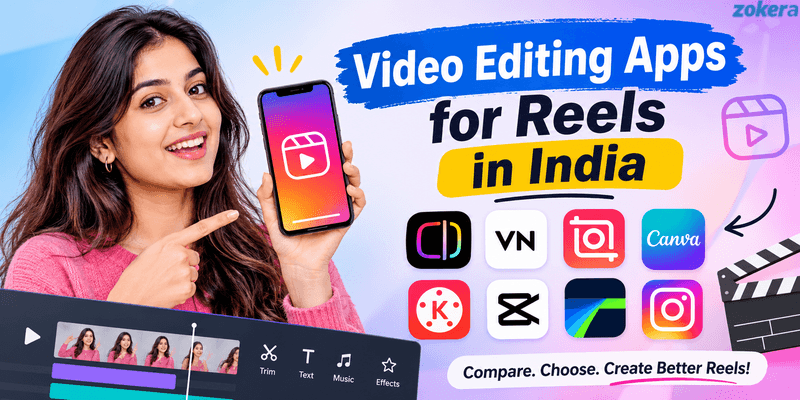
Instagram Reels have become an important format for creators, brands, and businesses in India. However, creating a good Reel requires more than recording a video and uploading it. The right video editing apps for Reels can help you improve cuts, captions, audio, transitions, effects, and overall presentation. This guide compares eight popular options, from simple mobile editors to advanced tools, so you can choose an app based on your content style, editing experience, and publishing needs.
Quick Answer
The best video editing apps for reels depend on how much editing control you need. Edits by Instagram is a strong choice for Instagram-focused creators, while VN Video Editor offers advanced mobile editing without a complicated professional workflow. InShot is suitable for quick social videos, Canva works well for branded content, and KineMaster offers detailed editing controls. CapCut provides creative and AI-focused editing tools, while specific features may vary by region, device, account, or app version. While LumaFusion is better for professional workflows. Instagram's built-in editor remains the easiest option for quick edits and direct publishing.
Key Takeaways
The right Reel editing app depends on your content type, experience, and production workflow. Before choosing one, consider the following:
Best for Instagram creators: Edits by Instagram
Best free advanced editor: VN Video Editor
Best for beginners: InShot
Best for branded Reels: Canva
Best for advanced mobile editing: KineMaster
Best for creative and AI tools: CapCut
Best for professional workflows: LumaFusion
Best for quick publishing: Instagram's built-in editor
Best for watermark-free editing: VN and Edits are strong options
Best overall choice: The app that matches your editing needs without slowing down your content workflow
Best Video Editing Apps for Reels: Quick Comparison
App | Best For | Free Option | Editing Level | Watermark |
|---|---|---|---|---|
Edits by Instagram | Instagram-focused creators | Yes | Intermediate | No added watermark |
VN Video Editor | Detailed mobile editing | Yes | Advanced | No watermark |
InShot | Quick social videos | Yes | Beginner to intermediate | Depends on plan |
Canva | Branded Reels | Yes | Beginner to intermediate | Depends on assets |
KineMaster | Advanced mobile editing | Yes | Advanced | Depends on plan |
CapCut | Creative and AI editing | Yes | Intermediate to advanced | Depends on template or feature |
LumaFusion | Professional editing | Paid | Advanced | No |
Instagram Editor | Quick Reel creation | Yes | Basic | No |
How We Compared These Reels Editing Apps
We compared these apps based on the features that matter most when creating Instagram Reels regularly. These include editing controls, captions, transitions, effects, audio tools, templates, export quality, watermark policies, ease of use, and advanced features.
We also considered the type of creator each app suits best. A beginner creating simple lifestyle Reels does not need the same tools as a creator producing branded campaigns or professional video content.
The following factors were important when comparing each app:
Editing flexibility: How much control you get over clips, layers, timing, and effects.
Ease of use: How quickly a beginner can understand the interface.
Creator features: Captions, templates, audio, effects, and other social media tools.
Export quality: Available resolution and frame-rate options.
Watermark policy: Whether free exports include an added watermark.
Content type: Whether the app works better for simple, branded, creative, or professional Reels.
App features, pricing, availability, and export conditions can change with updates. Always check the current version before choosing an app for your long-term workflow.
Best Video Editing Apps for Reels
1. Edits by Instagram
Edits by Instagram is designed specifically for mobile video creation and is particularly useful for creators who publish primarily on Instagram. It provides a more focused editing environment than Instagram's standard Reel editor while keeping the workflow centered around short-form content.
The app provides a frame-accurate timeline, longer camera capture, green screen tools, transitions, effects, storyboards, title cards, captions, and direct sharing to Instagram and Facebook. Meta has also continued expanding Edits with creator-focused features, making it a useful option for creators who want more control without leaving the Instagram ecosystem.
Some of its useful features include:
Frame-accurate timeline editing
Green screen and video effects
Captions and text tools
Storyboards and title cards
Direct sharing to Instagram and Facebook
Tools for improving video presentation
Exports without an added watermark
Meta's official information about Edits provides more details about the app and its creator-focused features.
Best for: Instagram-first creators, talking-head videos, educational Reels, and creators who want a dedicated Instagram video workflow.
Why choose it: It combines dedicated editing features with a workflow built around Instagram publishing.
2. VN Video Editor
VN Video Editor is a strong option for creators who want more editing control without immediately moving to complicated desktop software. Its multi-track timeline allows you to work with video clips, audio, text, overlays, and other elements within the same project.
The app is particularly useful when basic trimming and filters are no longer enough. It provides more control over timing, layers, transitions, and visual effects while remaining suitable for mobile editing.
Important features include:
Multi-track timeline
Keyframe editing
Speed controls
Transitions and effects
Caption and text tools
High-quality export options
Watermark-free editing
VN is a good choice if you want to create detailed Reels while keeping the editing workflow on your phone. It may take some time to learn, but that additional learning can be worthwhile for creators who publish frequently.
You can check the official VN Video Editor website for current platform support and downloads.
Best for: Creators who want advanced mobile editing without a complicated professional editor.
Why choose it: It provides strong editing control while remaining accessible to regular social media creators.
3. InShot
InShot is designed for creators who want to edit social media videos quickly. Its interface focuses on commonly used editing tools instead of overwhelming users with professional controls.
You can trim and merge clips, add music, apply effects, insert text and stickers, and create captions. These features make it suitable for lifestyle content, travel videos, product demonstrations, tutorials, and everyday Instagram posts.
Its main strengths include:
Simple video trimming and merging
Music and sound effects
Text and stickers
Filters and transitions
Caption tools
Social media-focused editing
Easy mobile workflow
InShot works especially well when you value speed and simplicity. However, creators who need complex layers, detailed keyframes, or advanced colour controls may eventually prefer VN or KineMaster.
If watermark-free editing is important to you, compare InShot with other free video editing apps without watermark before choosing your primary editor.
You can also check the latest features on the official InShot website.
Best for: Beginners, lifestyle creators, quick edits, and everyday Instagram content.
Why choose it: It lets beginners create polished social videos without spending too much time learning the software.
4. Canva
Canva takes a design-first approach to video editing. This makes it particularly useful for creators who want their Reels to follow a consistent visual identity.
Instead of focusing only on traditional video editing, Canva combines video tools with templates, graphics, text, animations, and other design elements. This makes it useful for educational content, product promotions, announcements, list-based Reels, and branded creator videos.
Its useful features include:
Instagram Reel templates
Text and graphic elements
Animations and transitions
Captions
Background removal
Brand-focused design tools
Drag-and-drop editing
Canva is easier to learn than many professional video editors. However, creators who need detailed timeline control may find dedicated editing apps more suitable.
You can explore the Canva video editor for its current video editing features and templates.
Best for: Branded Reels, educational content, product videos, and creators who combine design with video.
Why choose it: It makes it easier to maintain consistent branding across multiple pieces of content.
5. KineMaster
KineMaster is designed for creators who want detailed control over mobile video projects. It provides more advanced features than simple social media editors while keeping the editing workflow available on mobile devices.
Its tools include multi-layer editing, chroma key, keyframes, colour adjustments, audio controls, transitions, and effects. These features are useful for creators producing product demonstrations, tutorials, cinematic Reels, and branded campaigns.
Some of its key features include:
Multi-layer video editing
Chroma key
Keyframes
Audio editing
Colour adjustments
Transitions and effects
High-quality export options
The additional controls can significantly improve the editing possibilities, but they also create a steeper learning curve. Beginners may need some practice before they can use the app efficiently.
You can check the current capabilities on the official KineMaster website.
Best for: Advanced mobile editors, detailed Reels, tutorials, and professional-looking creator content.
Why choose it: It gives experienced creators greater control over video, audio, layers, and effects.
6. CapCut
CapCut combines conventional video editing with templates, effects, captions, transitions, and AI-powered tools. This makes it useful for creators who want to produce visually engaging short-form videos quickly.
Its multi-layer editing workflow gives creators more control than a basic Reel editor. It can work well for trend-based content, creative transitions, captions, product videos, and effects-heavy Reels.
Key features include:
Multi-track editing
Templates
Creative effects
Transitions
Auto captions
AI-powered tools
Speed controls
Text and animation features
CapCut is available on Google Play in India. However, specific features, templates, and AI tools can vary by region, device, account, or app version.
Best for: Creative Reels, templates, effects, captions, and AI-assisted editing.
Why choose it: It offers a broad creative toolkit for creators who want faster, trend-focused editing.
7. LumaFusion
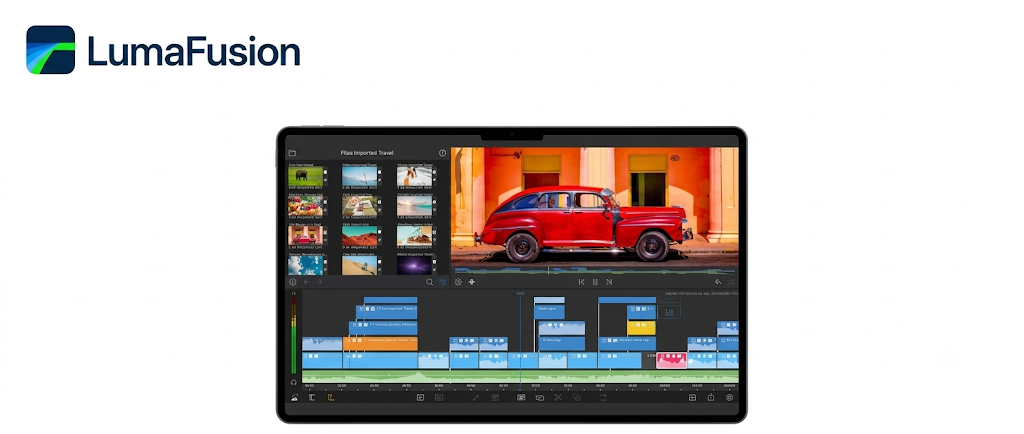
LumaFusion is designed for creators who need a more professional editing environment on supported mobile and tablet devices. Unlike simpler social media editors, it focuses on giving users greater control over timelines, layers, audio, and video production.
It can be useful when you are working with longer footage or producing content that needs more detailed editing before being adapted for Instagram. This makes it more suitable for professional creators than people who only need quick cuts and captions.
Its strengths include:
Multi-track editing
Advanced timeline controls
Detailed audio workflow
Layer-based editing
Professional video production tools
High-quality export workflow
The main disadvantage is the learning curve. If you create simple 15 to 30-second Reels, LumaFusion may provide more control than you actually need.
Best for: Professional creators, advanced mobile editing, detailed projects, and longer-form video production.
Why choose it: It provides a deeper editing workflow for creators who have outgrown basic mobile editors.
8. Instagram's Built-In Reels Editor
Instagram's built-in editor is the most convenient option when you want to create, edit, and publish a Reel without switching between different applications.
You can record or upload clips, arrange them, add music, apply effects, add text, adjust speed, and prepare the video for publishing directly inside Instagram.
Its main features include:
Recording and uploading clips
Adding music
Adding text and stickers
Applying effects
Adjusting video speed
Arranging multiple clips
Direct publishing to Instagram
The editor works particularly well for trending audio, simple transitions, quick cuts, and content that does not require extensive post-production. However, creators who need detailed layers, advanced keyframes, complex audio editing, or extensive visual effects will usually benefit from a dedicated editing app.
You can learn more about Instagram's native Reel creation features through Instagram's official Reels information.
Best for: Beginners, quick edits, trending content, and direct publishing.
Why choose it: It removes the need for another editing app when your Reel only requires basic editing.
Which Reels Editing App Is Best for Different Creators?
The best app depends on what you create, how frequently you publish, and how much editing control you need. A beginner making simple talking-head videos may not benefit from the complexity of LumaFusion, while a professional creator may quickly outgrow Instagram's built-in editor.
Here is a practical way to choose:
For beginners: Choose InShot or Instagram's built-in editor.
For Instagram-focused creators: Choose Edits by Instagram.
For free advanced editing: Choose VN Video Editor.
For branded content: Choose Canva.
For advanced mobile editing: Choose KineMaster.
For creative and AI-focused editing: Choose CapCut.
For professional mobile workflows: Choose LumaFusion.
If your Reels are also helping you build an audience and income stream, learning how to make money from a small Instagram account can help you plan content beyond views.
Which Free Reel Editing Apps Have No Watermark?
Watermark policies are an important consideration when choosing a free editing app. However, an app being free does not automatically mean every export will be watermark-free. Some apps place restrictions on premium templates, effects, assets, or specific export options.
VN and Edits are strong options when avoiding an added watermark is a priority. Other apps may have different conditions depending on the plan, template, or asset being used.
Before committing to an app, check the final export rather than relying only on older reviews. A simple test can help you confirm the current conditions.
When comparing free editors, check these points:
Does the exported video contain a watermark?
Are watermark-free exports available on the free plan?
Are premium templates restricted?
Are certain effects available only through a paid plan?
Does the app reduce export quality on its free version?
This matters particularly for creators producing branded content because a visible watermark from another editing platform can affect the final presentation.
Is CapCut Available in India?
Yes, CapCut is available on Google Play in India. Creators can use it for Reel editing, captions, transitions, effects, templates, and other short-form video requirements.
However, some CapCut features may vary based on your device, account, app version, or region. It is therefore worth checking the features available in your current version before building your entire editing workflow around them.
If you want alternatives, these apps can also cover different Reel editing needs:
VN: Advanced mobile editing
Edits: Instagram-focused editing
InShot: Quick social media editing
Canva: Branded and design-heavy Reels
KineMaster: Advanced mobile editing
The right choice depends on whether you prioritize speed, creative effects, branding, or advanced editing control.
How to Choose a Video Editing App for Reels
The right editing app should match the type of content you create most often. A fashion creator, educator, UGC creator, gaming creator, and business account can all have different editing requirements.
Before choosing an app, evaluate these factors:
Ease of use: Choose a simple interface if you are new to video editing.
Captions: Auto captions can save time when creating talking-head or educational Reels.
Templates: Templates are useful when you publish frequently and need faster production.
Audio tools: Check music, voiceover, sound effects, and audio adjustment options.
Watermark: Confirm whether free exports include a watermark.
Export quality: Check supported resolution and frame-rate options.
Advanced editing: Keyframes, masking, chroma key, and multiple layers are useful for complex projects.
Device compatibility: Make sure the app works smoothly on your phone, tablet, or computer.
Publishing workflow: Consider whether you need direct Instagram sharing.
Content volume: Frequent creators should choose an app that allows fast and repeatable editing.
Your publishing frequency also matters. If you create several Reels every week, spending time learning a slightly more advanced editor can eventually save you time.
How to Edit Reels for Brand Collaborations
Brand collaboration Reels need to balance creativity with clear product communication. The video should feel natural to your audience while still delivering the campaign message accurately.
A strong brand Reel usually follows a simple editing process:
Start with a clear hook: Give viewers a reason to continue watching.
Remove unnecessary pauses: Keep the pacing clean and focused.
Show the product clearly: Make sure important product details are visible.
Add readable captions: Use captions when spoken information needs additional context.
Balance the audio: Keep music below the voice when the Reel includes narration.
Keep the brand message natural: Avoid excessive effects that distract from the product.
If you are looking for paid collaborations, read how to get brand collaborations as a small creator and learn how to become a UGC creator in India.
Your editing workflow should also make revisions easy. Save project files when possible so you can quickly change captions, product shots, voiceovers, or brand messaging.
Once your content production becomes consistent, you can explore how to start monetizing as a creator and choose monetization methods that fit your audience.
Tips for Creating Better Instagram Reels
A good editing app can improve presentation, but it cannot replace a strong content idea. Better Reels usually combine a clear topic, strong opening, useful information, good pacing, and clean editing.
Use these practices when creating your next Reel:
Start With a Clear Hook
The opening should immediately communicate what the Reel is about. Avoid lengthy introductions when the main point can be delivered quickly.
Good hooks often:
Ask a specific question
Highlight a common problem
Promise a useful result
Create curiosity
Present an unexpected fact
Keep the Pacing Tight
Remove unnecessary pauses, repeated statements, and empty frames. Clean cuts can make talking-head videos, tutorials, and product demonstrations easier to watch.
For better pacing:
Cut long pauses between sentences.
Remove repeated information.
Change visuals when the topic changes.
Use transitions only when they add value.
Use Captions
Captions make spoken content easier to follow, especially when viewers watch without sound. Keep them readable and avoid placing important text over faces or products.
When adding captions, focus on:
Readability
Short lines
Appropriate timing
Consistent placement
Clear contrast with the background
Use Music Carefully
Background music should support the content rather than compete with the voice. Excessive music volume can make educational, review, and product content difficult to understand.
Use music to establish mood, support transitions, or make simple visual sequences more engaging. Do not add multiple sounds when one well-balanced track is enough.
Maintain Visual Consistency
Consistent fonts, colors, framing, and editing patterns can make your content more recognizable. This becomes increasingly important as you build a creator brand.
Try to maintain consistency in:
Font styles
Caption placement
Intro and outro patterns
Visual framing
Brand colors
Overall editing style
Create Reels With Monetization in Mind
Once your content starts attracting a regular audience, Reels can support multiple income streams. Editing quality can help your content look more professional when promoting products, services, affiliate offers, or brand collaborations.
You can learn more about affiliate marketing for Instagram creators and how creators earn commission on Instagram.
You can also explore how to make money from social media if you want to build a broader creator income strategy.
For creators who regularly share links with their audience, Instagram Auto-DM can also support a more structured link-sharing workflow.
Conclusion
The best video editing apps for reels are not necessarily the apps with the most features. The right choice is the one that gives you enough control to create quality content without slowing down your publishing process. Beginners can start with Instagram or InShot, while VN and KineMaster are better for detailed mobile editing. Canva is useful for branded content, Edits works well for Instagram-focused creators, and LumaFusion suits professional workflows. Choose one app that fits your content style, learn its core tools, and build a consistent editing workflow around it.
FAQs About Video Editing Apps for Reels
1. Which video editing app is best for Instagram Reels?
The best app depends on your editing needs. Edits is useful for Instagram-focused creators, VN is strong for advanced free editing, InShot suits beginners, and KineMaster works well for detailed mobile projects.
2. Which app is best for editing Reels for free?
VN, Edits, InShot, Canva, and Instagram's built-in editor all offer free editing options. Their features, export conditions, and premium tools differ.
3. Which Reel editing app has no watermark?
VN is known for watermark-free editing, while Edits supports exports without an added watermark. Other apps may have different conditions based on their plans, templates, or assets.
4. Is VN good for Instagram Reels?
Yes. VN is suitable for Reels because it provides multi-track editing, transitions, keyframes, speed controls, captions, and other tools for detailed mobile editing.
5. Is CapCut available in India?
Yes. CapCut is available on Google Play in India. However, specific features, templates, and AI tools may vary by region, device, account, or app version.
6. Which Reel editing app is easiest for beginners?
InShot and Instagram's built-in editor are good starting points because their interfaces are relatively simple. Edits is another useful option for creators focused on Instagram.
7. Which app is best for professional Reel editing?
LumaFusion and KineMaster are suitable for advanced editing workflows. VN is another strong option for creators who want more control without using a professional desktop editor.
8. Can I edit Instagram Reels without a laptop?
Yes. You can record, edit, add captions, apply effects, and publish Reels entirely from a smartphone using apps such as Edits, VN, InShot, Canva, or Instagram.
9. What video format is best for Instagram Reels?
A vertical 9:16 format is generally the best choice for Instagram Reels because it fills the mobile screen. Your final resolution and frame rate should also match what your device and editing app support.
10. Do I need a separate app to edit Instagram Reels?
No. Instagram provides its own editing tools for basic Reel creation. A separate editing app becomes useful when you need advanced effects, multiple layers, detailed captions, audio controls, or more precise editing.
Comments (0)
Be the first to comment.