

Looking for the best mouse in India in 2026? Whether you’re a professional, student, or gamer, a high-quality mouse can significantly improve your productivity and overall experience.
With advancements in ergonomics, sensors, and wireless technology, choosing the right mouse can make everything, from daily browsing to competitive gaming, more efficient and comfortable.
In this guide, we’ve handpicked the top 10 best mice in India, based on performance, features, user reviews, and value for money.
Types of Computer Mouse
1. Wired Mouse
Classic choice that hooks up using a USB cable. Provides instant responses and is good for gaming or office work without lag being allowed. Worry not about the power supply.
2. Wireless Mouse
Uses Bluetooth or USB receiver, allowing for clutter-free use and movement. Excellent choice for home, casual usage, or office settings where occasional recharge or battery change should be minimal.
3. Gaming Mouse
Designed to be precise, fast, and customizable. Gaming mice usually include high DPI sensors, customizable buttons, RGB illumination, and weights that can be adjusted. Ideal for FPS, MOBA, and MMO gaming.
4. Ergonomic Mouse
Designed to minimize wrist strain and increase comfort during prolonged usage periods. These are extremely recommended for professionals, particularly those with repetitive strain injuries or carpal tunnel syndrome.
5. Trackball Mouse
Whereas moving the entire mouse, you turn a ball using your fingers. It's perfect for a small desktop space and has fantastic accuracy once you get used to it. Used frequently in design or engineering work.
6. Vertical Mouse
An ergonomic substitute that places your hand in the handshake position. This format minimizes wrist twisting and is becoming increasingly popular among professionals with posture issues.
10 Best Mouse in India (2026)
| Mouse Name | Type | Connectivity | Best For | Price (₹) |
|---|---|---|---|---|
| Logitech MX Master 3S | Wireless | Bluetooth + USB | Productivity, Design | ₹9,999 |
| HP X500 Wired Mouse | Wired | USB | Basic Use, Students | ₹399 |
| Logitech M331 Silent Plus | Wireless | USB Receiver | Office, Quiet Setup | ₹1,195 |
| Razer DeathAdder Essential | Wired | USB | Gaming on Budget | ₹1,999 |
| Dell WM126 | Wireless | USB Receiver | Office/Home | ₹899 |
| Lenovo 300 Wireless Mouse | Wireless | USB Receiver | Travel, Students | ₹699 |
| Logitech G304 Lightspeed | Wireless | Wireless USB | Gaming (Wireless) | ₹2,899 |
| Zebronics Zeb-Transformer-M | Wired | USB | Budget Gaming | ₹899 |
| AmazonBasics Wireless Mouse | Wirelese | 2.4GHz USB | Casual Users | ₹499 |
| Anker Vertical Wireless Mouse | Wireless | USB Receiver | Wrist Pain Relief | ₹2,499 |
1. Logitech MX Master 3S
Logitech MX Master 3S is a premium wireless mouse meticulously designed to offer improved productivity and comfort for power users, professionals, and creators. Continuing the legacy of its previous versions, the MX Master 3S boasts significant upgrades that elevate the user experience to the next level.
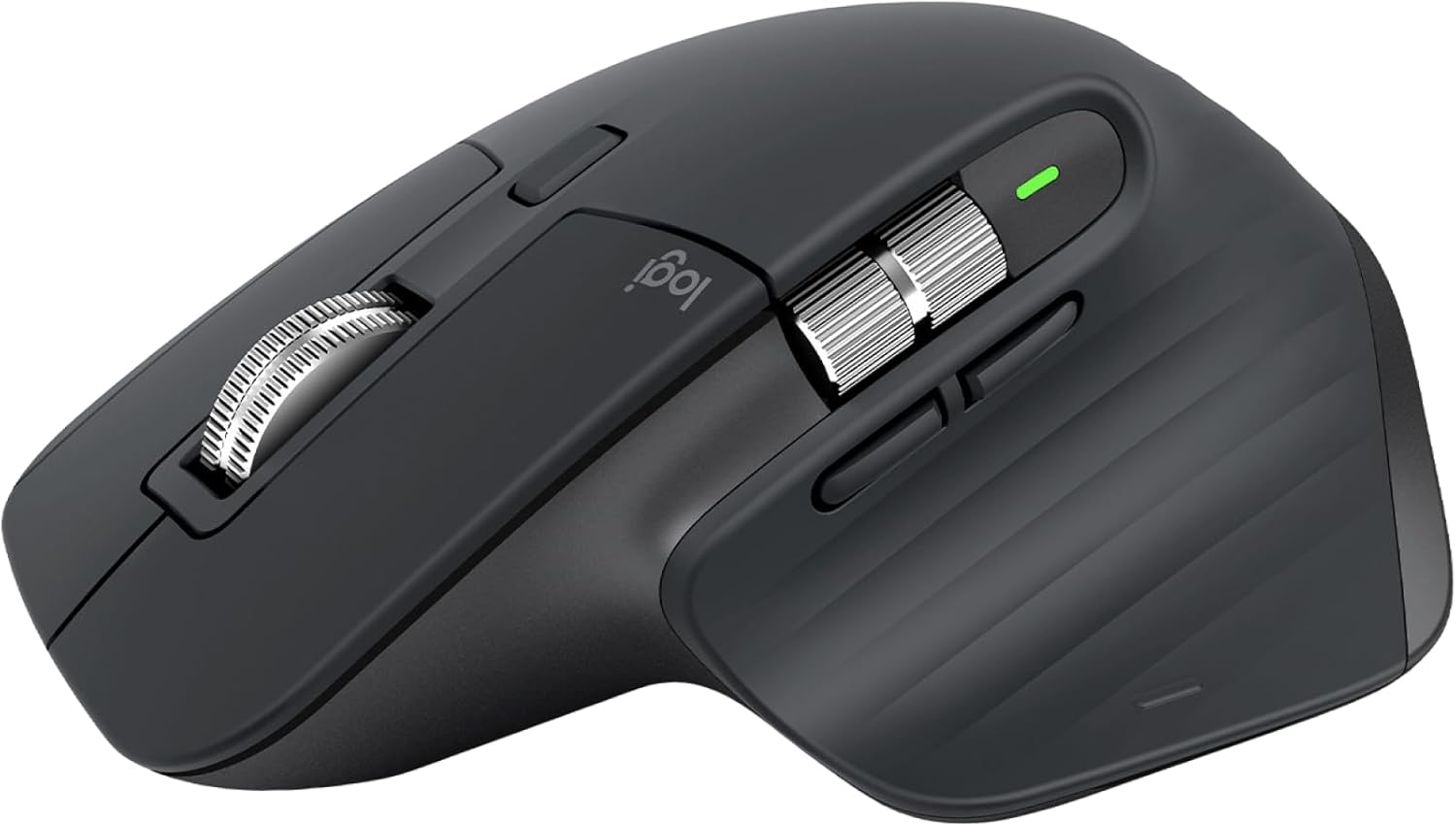
DPI (Dots Per Inch): 8000
Connectivity: Bluetooth & USB Receiver
Battery: Rechargeable
Best For: Productivity, Editing, Multitaskers
Pros:
High precision with 8,000 DPI sensor
Silent clicks for noise-free work environments
Ergonomic design for comfort when working long hours
Cons:
Pricier than standard mice
Somewhat heavy for those who prefer light options
2. HP X500 Wired Mouse
The HP X500 Wired Mouse sports a simple, no-frills design, suitable for general and everyday computing tasks. Piaget in name, plug and play, and ergo in design, it's perfect for those who want the basics without any added complications.
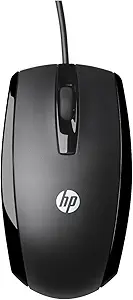
DPI: 1000
Connectivity: Wired
Type: Optical
Best For: Students, Office Use
Pros:
Inexpensive price tag.
Basic yet dependable performance.
Ergonomic for regular use.
Cons:
Limited functionalities for expert users.
Not appropriate for high-performance gaming or demanding tasks
3. Logitech M331 Silent Plus Wireless Mouse
The M331 Bluetooth Silent Plus mouse from Logitech is designed for users desiring a tranquil, ergonomically designed computer environment. It employs Logitech's SilentTouch technology, suppressing 90% of the clicking noises, which actually makes it fit for shared desks.
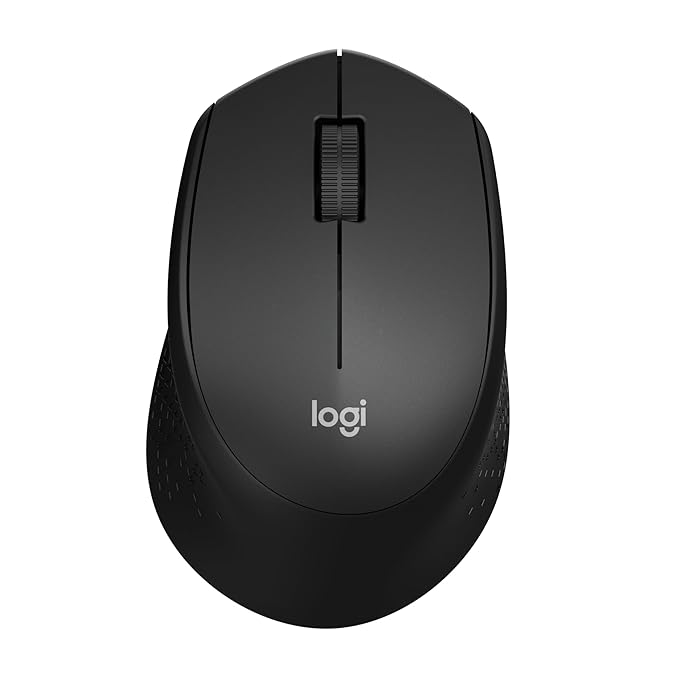
DPI: 1000
Battery: 24 months
Noise Level: Silent clicks
Best For: Quiet office setups
Pros:
Extremely silent clicks.
Ease of grip for prolonged usage.
Long battery life.
Cons:
No extra buttons for added functions.
Suitable only for right-handed individuals.
ALSO READ: 10 Best Paisa Kamane Wala Games: फ्री में गेम खेलकर पैसा कमाने वाले गेम की लिस्ट 2026
4. Razer DeathAdder Essential Gaming Mouse
The wired mouse is for right-handed players and excellent for an ergonomic and sturdy solution, considered for a long time: Razer DeathAdder Essential. It allows excellent 6,400 DPI optical tracking accuracy suitable for numerous gaming genres.
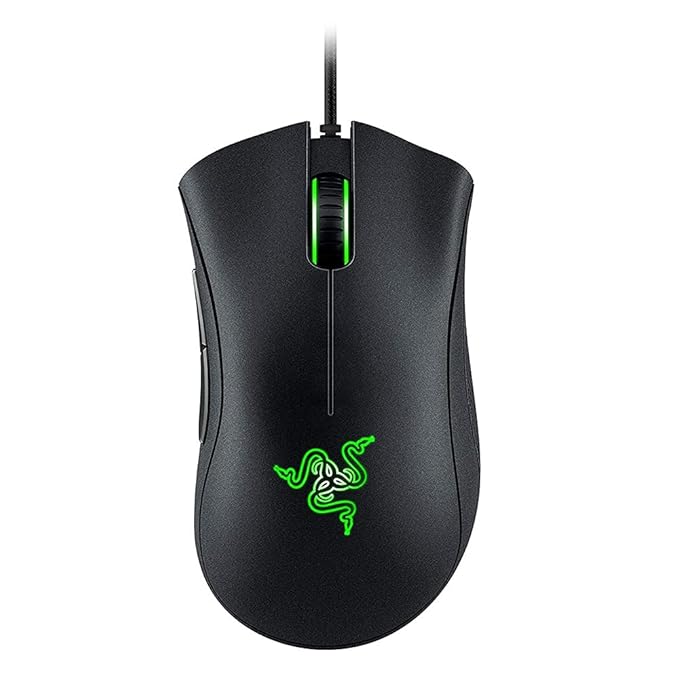
DPI: 6400
Connectivity: Wired
Buttons: 5 programmable
Best For: Budget gamers
Pros:
Ergonomic right-handed design.
Accurate 6,400 DPI sensor.
Strong build with durable switches.
Cons:
No RGB lighting, single-color green lighting only.
No onboard memory for profile saving.
5. Dell WM126 Wireless Mouse
Making the best ploy for an inexpensive, everyday-use mouse is the Dell WM126 Wireless Optical Mouse. Small and good working, it is best for those who look for simplicity and functionality, minus the high cost.
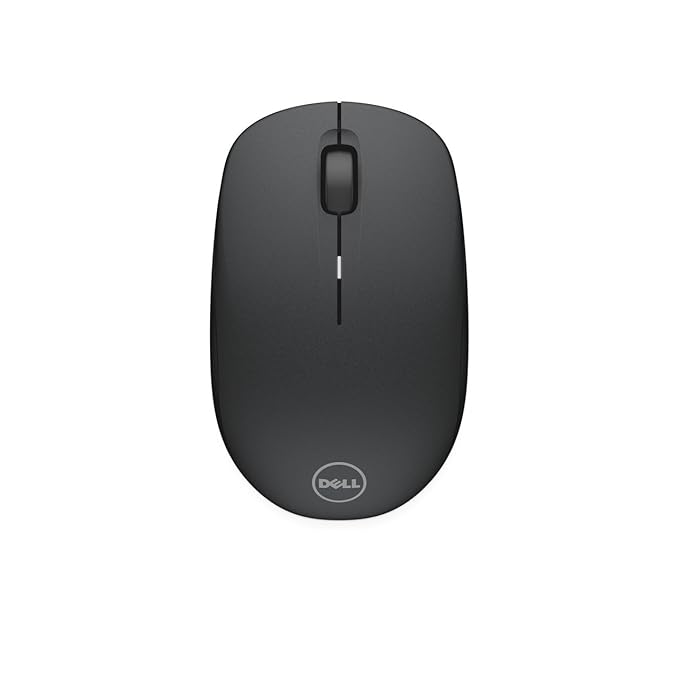
DPI: 1000
Connectivity: Wireless USB
Battery Life: 1 year
Best For: Office & Home
Pros:
Low price point.
Plug-and-play installation is easy.
Long battery life.
Cons:
Low DPI (1000) might not be ideal for high-precision work.
No extra buttons for additional functions.
ALSO READ: 7 Best Keyboards in India (2026) – Top Picks for Gaming & Office Use
6. Lenovo 300 Wireless Compact Mouse
Lenovo 300 Wireless Compact Mouse is an inexpensive, travel pack-sized mouse for those aspiring for portability, plus ease of use. With an ambidextrous design and plug-and-play features, it becomes an option to grab for persons needing a general computing option.
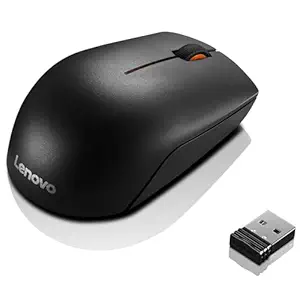
DPI: 1000
Design: Compact
Range: 10 meters
Best For: Travel, Students
Pros:
Cost-effective price point.
Long-lasting battery minimizes the need for regular replacements.
Compact and lightweight construction improves portability.
Cons:
Three-button limitation; no more programmable buttons.
Does not have any Bluetooth connectivity but uses only a USB receiver.
ALSO READ: 10 Best Telegram Channels for Movies & Web Series in 2026
7. Logitech G304 Lightspeed Wireless Gaming Mouse
Coupling performance and affordability, Logitech G304 LIGHTSPEED is a wireless gaming mouse. With LIGHTSPEED wireless technology and HERO sensor from Logitech, this provides a response time of 1ms with a battery life of 250 hours on 1 AA battery.
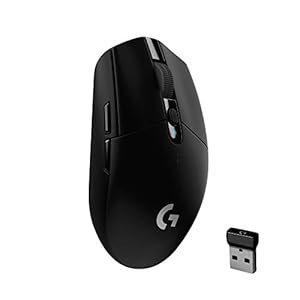
DPI: 12000
Connection: Wireless 1ms response
Best For: Serious gamers
Pros:
Precise tracking guaranteed by high-performance HERO sensor.
LIGHTSPEED wireless technology provides low latency that is similar to wired mice.
Long battery life minimizes the frequency of replacements.
Cons:
Less comfortable for large hands or palm grip users
No RGB lighting for customization
8. Zebronics Zeb-Transformer-M
The Zebronics Zeb-Transformer-M is a budget entertainment mouse for gamers who demand only the best but cannot pay through their nose. It sports an ergonomic design, DPI adjustments, and a bright LED glow suitable for functionality and looks for casual and beginner gamers.
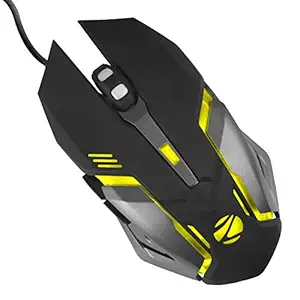
DPI: 3600
Lighting: RGB
Buttons: 6
Best For: Budget gamers
Pros:
Affordable price makes it available for budget gamers.
Adjustable DPI settings provide precision control.
Built to last with braided cable and gold-plated USB connector.
Cons:
No macro or software adjustment
Pre-set LED light modes
9. AmazonBasics Wireless Mouse
The AmazonBasics Wireless Mouse is a great choice for anyone searching for a basic mouse to be used during the day. It has an attractive design and offers a 2.4 GHz wireless connection, suitable for anyone seeking to embrace ease of use and freedom of movement.
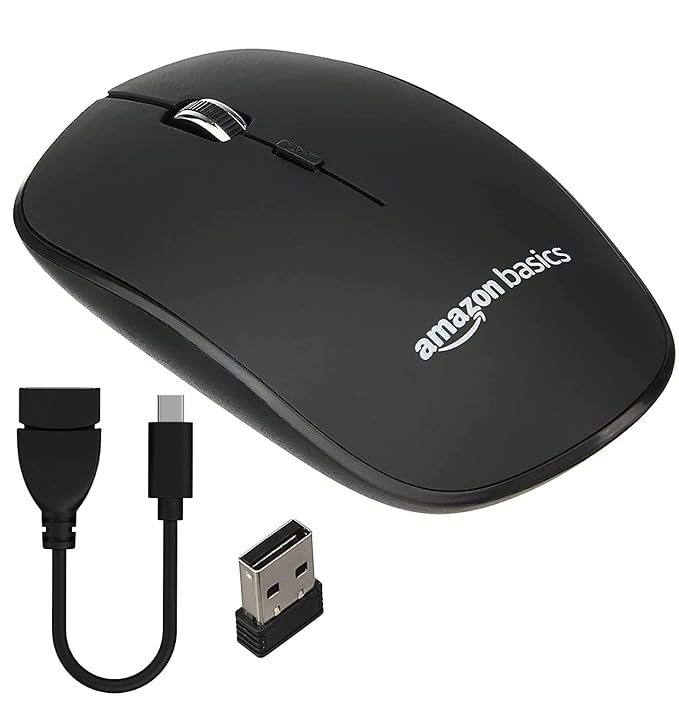
DPI: 1000
Connectivity: 2.4 GHz Wireless
Best For: Casual users
Pros:
Available at a very low price, appealing to anyone saving money.
Setup is simple with plug-and-play, so no software installation is necessary.
The size and weight are small which makes transportation easier.
Cons:
No programmable buttons. Only three buttons available.
Uses a USB receiver and has no Bluetooth connection.
10. Anker 2.4G Wireless Vertical Mouse
With the Anker 2.4G Wireless Vertical Ergonomic Optical Mouse in hand, your wrist will ache less because the natural handshake position and the computer will allow some distance. This mouse is ideal for users who seek ergonomic solutions, as it alleviates cross discomfort associated with traditional mice.
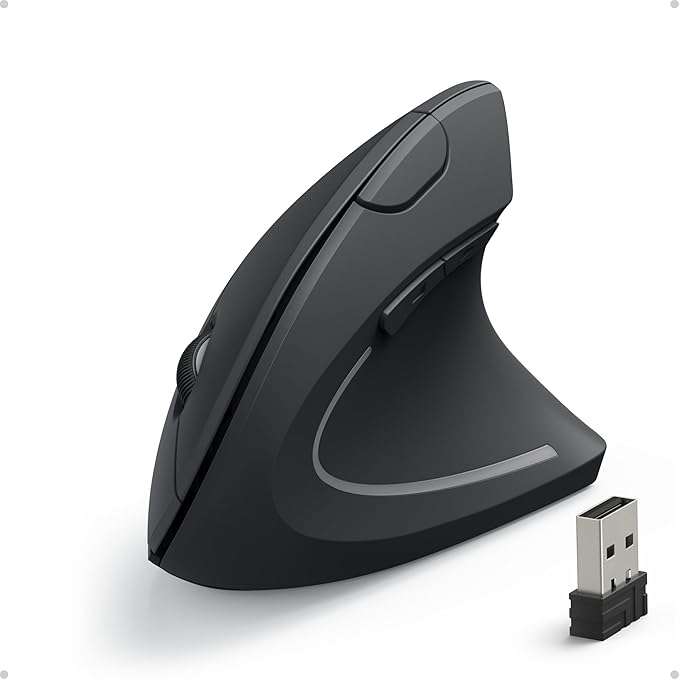
DPI: 1600
Design: Vertical
Ergonomics: Excellent
Best For: Wrist pain relief
Pros:
Provides mouse flexibility to suit different formatic tasks and preferable cuts.
Keeps users untethered from mice without cable-bound formatting preferred constraints and provides locomotion freedom.
Retains an upright wrist position, which neutralizes and potentially reduces strain.
Cons:
Lacks software for button remapping or advanced settings.
Requires AAA batteries, which may need regular replacement.
ALSO READ: Best Inverter Brand in India: Power Backup You Can Rely On
How to Choose the Right Mouse (Buying Guide)
1. Purpose of Use
Gaming: Very high DPI (≥10,000), very low latency, and programmable buttons.
Office: Should be ergonomic, with silent clicks and great battery life.
Travel: Should be compact, lightweight mice with good wireless battery life.
2. Connectivity
Wired: Has faster response time and is therefore recommended for gaming and heavy usage.
Wireless (USB Receiver): Great to keep your desk clutter-free, but batteries need to be replaced.
Bluetooth: Best for devices without USB ports (for example, tablets and ultrabooks).
3. DPI (Dots Per Inch)
High DPI means faster cursor movement and is useful for gamers and designers.
Lower DPI means easy control in regular activities.
Adjustable DPI is always an advantage.
4. Ergonomics
Ergonomic or vertical models lower wrist strain and support a longer time of use.
Check your grip type: palm, claw, or fingertip. Choose accordingly.
5. Additional Features
Extra buttons for shortcuts and productivity.
RGB illumination for gamer beautification.
Software support for customization.
6. Compatibility & Build
Checks for your OS compatibility in Windows, macOS, and Linux.
Good build and warranty provider for added long-term value.
Conclusion
Mouse selection is key if one is to improve comfort and productivity in 2025. Whether one is a gamer seeking precision with the Razer DeathAdder Essential, a professional needing ergonomic support with the Anker Vertical Mouse, or simply seeking a budget offer with the AmazonBasics Wireless Mouse, there will be a perfect choice for all.
Taking into account some factors such as purpose, connectivity, DPI, and ergonomics, yields a mouse that fits your needs. The right mouse will surely improve performance, but it will also ultimately enhance the whole experience. Have fun picking one so that every click counts!
FAQs: Best Mouse in India (2026)
Q1. Which is the best mouse in India for gaming?
For gaming, options like Logitech G304 Lightspeed and Razer DeathAdder Essential are excellent due to their high DPI, fast response time, and precision tracking.
Q2. Which mouse is best for office work and long hours?
For office use, Logitech M331 Silent Plus and Logitech MX Master 3S are great choices because of their ergonomic design and silent clicks, making them ideal for long working hours.
Q3. Is a wireless mouse better than a wired mouse?
Wireless mice offer convenience and a clutter-free setup, while wired mice provide lower latency and are preferred for gaming. The best choice depends on your usage.
Q4. How much should I spend on a good mouse in India?
A good mouse can cost anywhere between ₹500 and ₹3000 for most users. Premium options above ₹5000 are ideal for professionals and gamers needing advanced features.
Comments (0)
Be the first to comment.