
Instagram scheduling apps help creators plan posts, schedule Reels, and manage their content calendars without publishing everything manually. These tools make it easier to maintain a consistent posting schedule while managing content creation and audience engagement. Some platforms also offer visual feed previews, performance analytics, and automatic publishing. Whether you are an influencer, freelancer, or beginner creator, the right Instagram scheduling app can simplify your workflow and help you organize content more efficiently.
Quick Answer
The best Instagram scheduling apps for creators include Later, Buffer, Metricool, Planoly, Meta Business Suite, Publer, SocialBee, Planable, Hootsuite, and Preview. Later and Planoly are useful for visual content planning, while Buffer offers a straightforward scheduling workflow. Metricool is suitable for creators who need analytics alongside scheduling. Meta Business Suite is a free official option for managing Instagram and Facebook content. The right choice depends on your publishing requirements, budget, and preferred Instagram formats.
Key Takeaways
Instagram scheduling apps help creators plan and publish content consistently.
Meta Business Suite provides a free official option for Instagram and Facebook management.
Later and Planoly help creators organize visual content.
Metricool combines scheduling with social media analytics.
Buffer offers a straightforward publishing workflow for beginners.
Planable supports content reviews and approval workflows.
Always check Reels, Stories, and carousel publishing support before choosing a tool.
What Are Instagram Scheduling Apps?
Instagram scheduling apps are social media management tools that help creators prepare, organize, and publish content at planned times. Instead of manually uploading every post, creators can prepare their content in advance and manage upcoming publications through a scheduling calendar.
Most tools offer features such as post scheduling, caption management, content calendars, and publishing notifications. Some platforms also provide analytics, visual feed previews, and collaboration features.
Creators commonly use these tools to manage different Instagram formats:
Instagram posts: Prepare and schedule single-image posts and carousels.
Instagram Reels: Plan short-form videos and schedule their publication where supported.
Instagram Stories: Prepare Stories in advance. Depending on the tool and format, publishing may be automatic or reminder-based.
Content calendars: Organize upcoming posts, campaigns, and content ideas.
Analytics: Review available performance metrics, such as engagement and reach.
However, not every scheduling app supports every Instagram format or automatic publishing. Some features also depend on the connected account type and subscription plan.
Creators can also use Instagram's native scheduling features when their accounts are eligible. Meta Business Suite provides another official option for managing Instagram and Facebook content. Check the Instagram Help Center for current account requirements and scheduling options.
10 Best Instagram Scheduling Apps for Creators
1. Later
Best for: Visual content planning
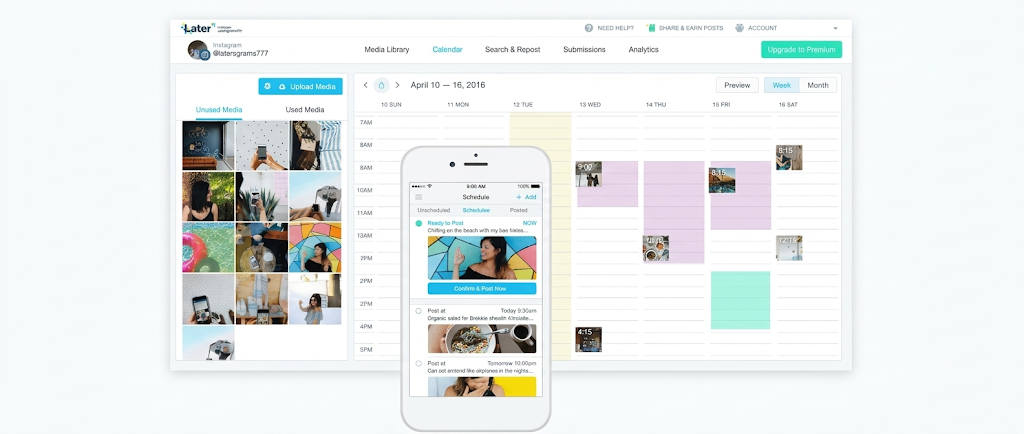
Later is a social media scheduling platform designed for creators and brands that prioritize visual content. Its visual planner helps users organize posts and preview how content may appear on their Instagram profiles.
Creators can prepare captions, upload media, and organize upcoming content through a scheduling calendar. Its media library also helps keep content assets organized.
Key features:
Visual Instagram content calendar.
Drag-and-drop content planning.
Media library for organizing photos and videos.
Instagram post and Reels scheduling.
Social media analytics.
Link-in-bio tools.
Why creators should use Later: Later is useful for creators who maintain a consistent visual identity. They can plan upcoming content and review their feed before publishing.
Limitation: Some advanced scheduling, analytics, and collaboration features require paid plans. Check current plan limits and publishing support before subscribing.
2. Buffer
Best for: Beginner creators and simple scheduling
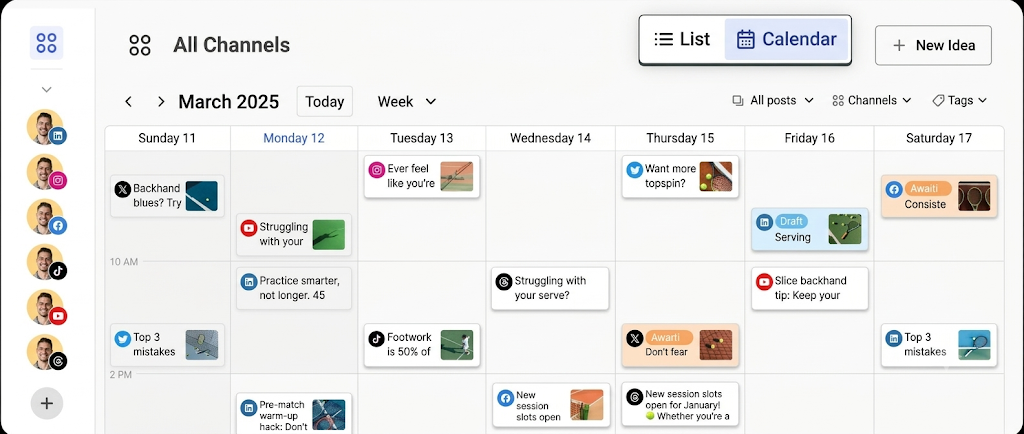
Buffer is a social media management platform that helps creators schedule content across multiple social networks. Its straightforward interface makes it easier to organize posts without managing a complicated publishing workflow.
Creators can prepare captions, add media, and place content into a publishing queue. Buffer also provides tools to review social media performance.
Key features:
Social media post scheduling.
Publishing calendar and queue.
Multi-platform content management.
Post performance analytics.
Caption and content assistance.
Mobile and desktop access.
Why creators should use Buffer: Buffer works well for creators who want a simple way to schedule Instagram content. It is also useful when managing additional social media platforms.
Limitation: Some advanced analytics and publishing features are restricted to paid plans. Certain Instagram formats or publishing options may require notifications instead of automatic publishing.
3. Metricool
Best for: Scheduling and performance analytics
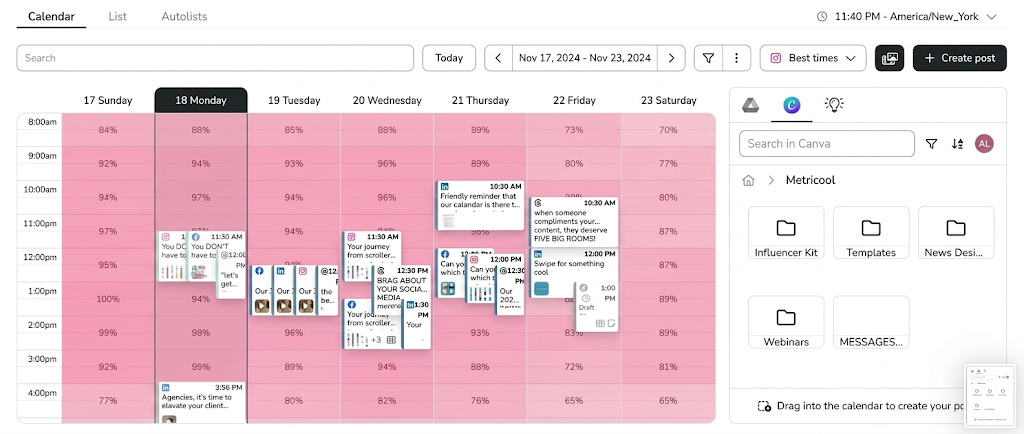
Metricool combines social media scheduling with performance tracking. It helps creators organize upcoming Instagram content and understand how their published posts perform.
Its planning calendar allows users to manage content across supported social networks. Creators can also review analytics to identify which posts attract more engagement.
Key features:
Instagram post and Reels scheduling.
Social media content calendar.
Performance analytics and reporting.
Best-time-to-post recommendations.
Competitor analysis.
Multi-platform account management.
Why creators should use Metricool: Creators who want to improve their content strategy can use Metricool to connect publishing activity with performance data. This makes it easier to identify successful content formats and posting patterns.
Limitation: The free plan has restrictions on connected brands and scheduled content. Advanced analytics and additional features depend on the subscription.
4. Planoly
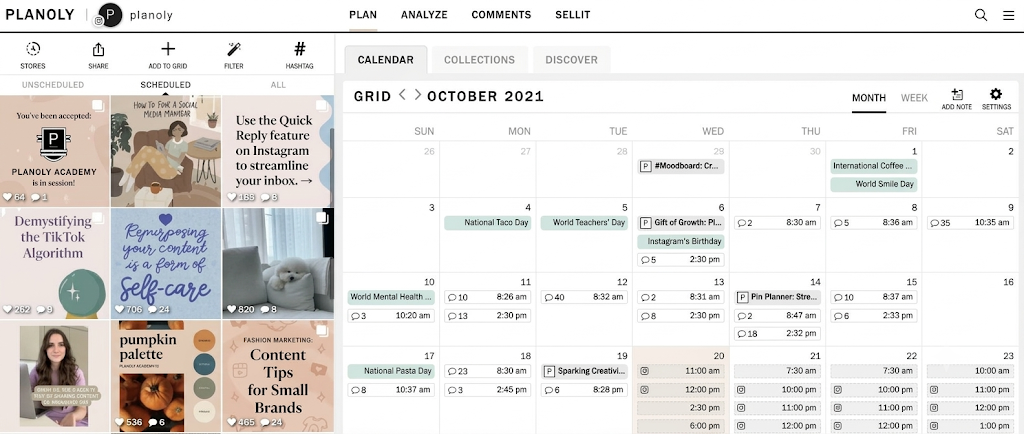
Best for: Instagram grid planning
Planoly is a visual social media planner that helps creators organize their Instagram feeds before publishing. It is particularly useful for creators who maintain a consistent visual theme.
Users can upload images and videos, arrange upcoming posts, and preview how their content may look on their profile.
Key features:
Instagram visual grid planner.
Drag-and-drop content calendar.
Post and carousel planning.
Caption and hashtag organization.
Content scheduling.
Link-in-bio functionality.
Why creators should use Planoly: Fashion, beauty, travel, and lifestyle creators often care about how their profiles look as a whole. Planoly helps them organize individual posts into a consistent visual feed.
Limitation: Some publishing features and content limits depend on the selected plan. Check video and Reels scheduling support before choosing a subscription.
5. Meta Business Suite
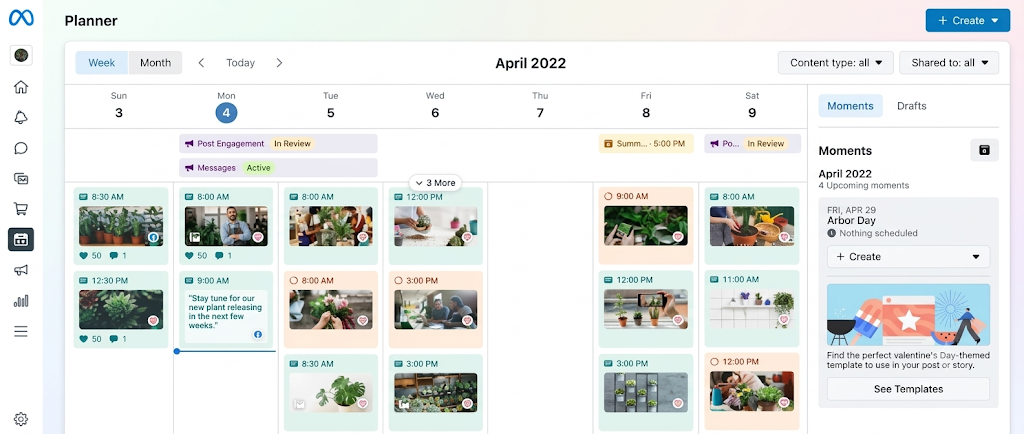
Best for: Free Instagram and Facebook scheduling
Meta Business Suite is Meta's official platform for managing Facebook and Instagram accounts. It allows creators and businesses to organize their social media activity from one dashboard.
Users can prepare posts, manage scheduled content, and review account performance. It also provides access to messages and comments across supported accounts.
Key features:
Instagram and Facebook content scheduling.
Content calendar and planner.
Post and Reels management.
Audience and content insights.
Unified inbox for supported messages.
Account and page management.
Why creators should use Meta Business Suite: It is a practical starting point for creators who want to schedule content without paying for a third-party subscription.
Limitation: It primarily supports Meta platforms. Creators managing TikTok, YouTube, Pinterest, or LinkedIn need additional tools.
6. Publer
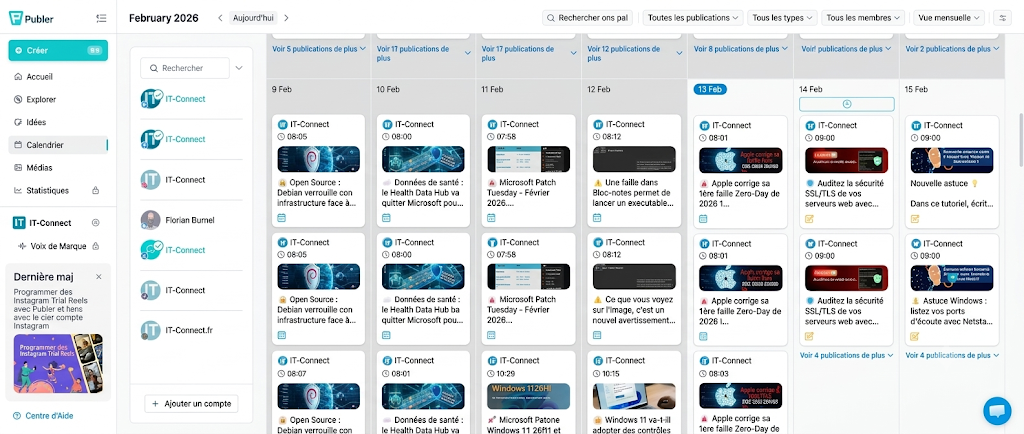
Best for: Budget-friendly social media scheduling
Publer is a social media scheduling platform that helps creators organize and publish content across multiple networks. It provides scheduling tools, content queues, and publishing management features.
Creators can prepare posts in advance and organize them through a visual calendar. This can reduce the time spent switching between different social media accounts.
Key features:
Instagram content scheduling.
Visual publishing calendar.
Bulk scheduling options.
Content drafts and queues.
Multi-platform publishing.
Post management and analytics.
Why creators should use Publer: Publer is useful for freelancers and independent creators who manage several social accounts. Its scheduling workflow helps organize multiple posts in advance.
Limitation: Some advanced publishing and collaboration options require paid plans. Instagram format support may vary by publishing method.
7. SocialBee
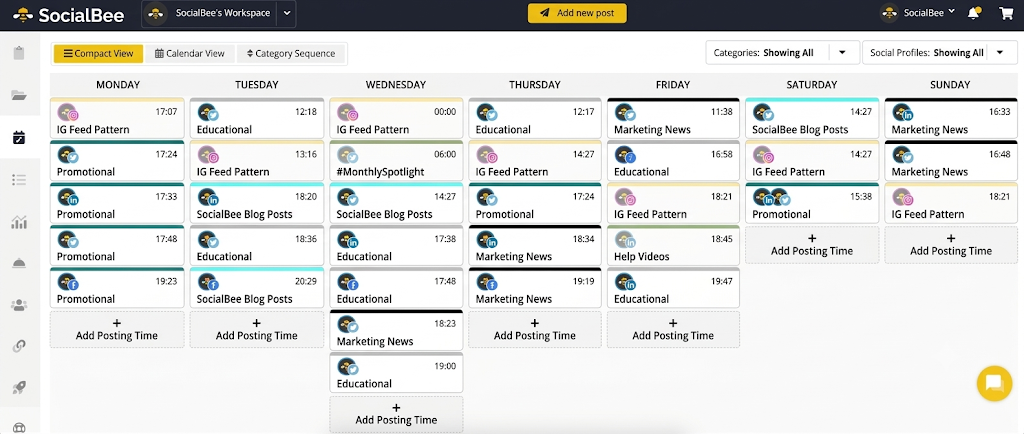
Best for: Evergreen content scheduling
SocialBee helps creators organize social media posts into different content categories. These categories can include educational posts, promotional content, tips, and audience engagement updates.
Its content recycling functionality can help creators reuse evergreen posts instead of preparing every update from scratch.
Key features:
Category-based content scheduling.
Evergreen content recycling.
Social media publishing calendar.
Content queue management.
AI-assisted content creation.
Social media analytics.
Why creators should use SocialBee: Creators who regularly publish educational content, tutorials, and evergreen tips can benefit from category-based scheduling. It helps maintain a balanced content mix.
Limitation: SocialBee is more focused on managing a complete social media publishing workflow. Its advanced features are available through paid subscriptions.
8. Planable
Best for: Content collaboration and approvals
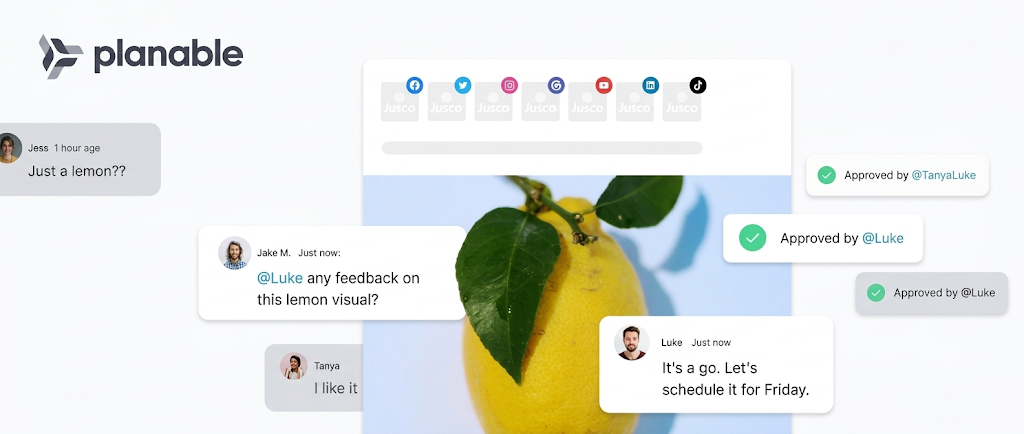
Planable is a social media content management platform designed for creators, agencies, and marketing teams. It helps users prepare posts, preview content, and collect feedback before publishing.
Its collaboration features make it easier to manage content when multiple people participate in the publishing process.
Key features:
Visual social media calendar.
Instagram content planning.
Post previews.
Team comments and feedback.
Content approval workflows.
Multi-platform scheduling.
Why creators should use Planable: Creators working with editors, social media managers, or brand partners can use Planable to review content before it goes live.
Limitation: Its collaboration features are more useful for teams than individual creators. Some advanced workflows require paid plans.
9. Hootsuite
Best for: Managing multiple social media accounts
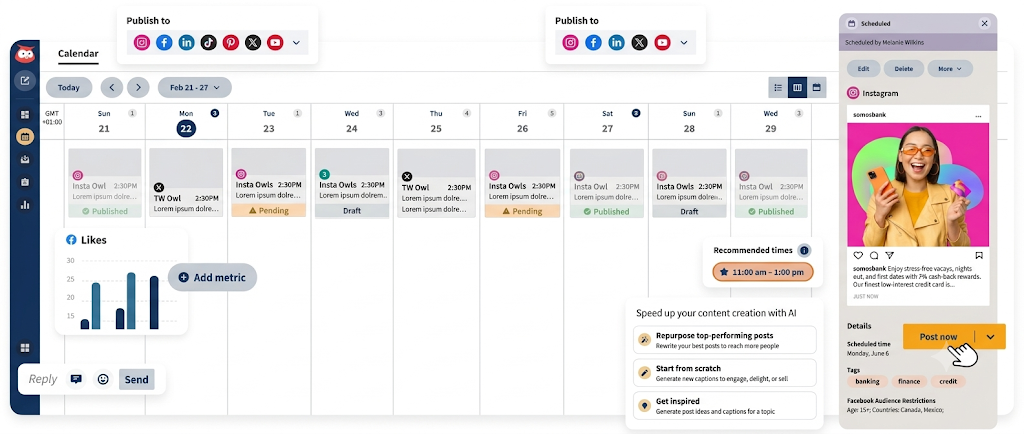
Hootsuite is a social media management platform that helps users plan, schedule, and monitor content across different social networks.
It provides publishing and analytics tools in one dashboard. Creators and professional social media managers can use it to manage several accounts.
Key features:
Social media post scheduling.
Publishing calendar.
Multi-account management.
Social media analytics.
Content monitoring.
Team collaboration tools.
Why creators should use Hootsuite: Creators who manage multiple accounts or work with social media teams may find its centralized dashboard useful.
Limitation: Hootsuite can be more expensive than simpler scheduling apps. Solo creators may not need all its advanced management features.
10. Preview
Best for: Instagram feed previews
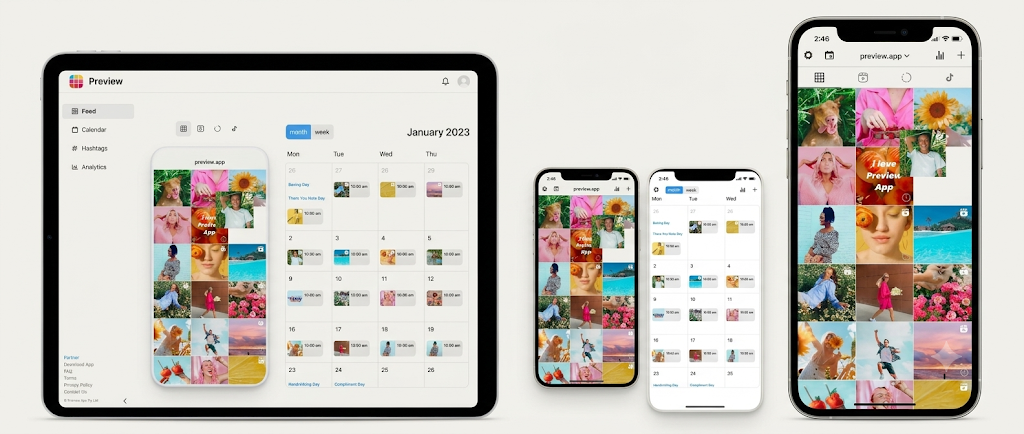
Preview is an Instagram planning app that helps creators organize their profile before publishing new content. Its visual grid planner allows users to experiment with different post arrangements.
Creators can use it to maintain a consistent profile appearance and plan upcoming posts.
Key features:
Instagram feed preview.
Drag-and-drop grid organization.
Photo and video planning.
Caption and hashtag management.
Content organization.
Post scheduling options.
Why creators should use Preview: It is useful for creators who want to plan their Instagram feed visually. They can experiment with different layouts before publishing content.
Limitation: Preview is primarily a visual planning tool. Do not assume every scheduling option supports automatic publishing. Check the current publishing method and app plan.
Instagram Scheduling Apps Comparison
Different Instagram scheduling apps offer different publishing, planning, and analytics features. The following table summarizes the main use cases of these tools.
App | Best For | Main Strength | Free Access |
|---|---|---|---|
Later | Visual content planning | Visual planner and media organization | Plan-dependent |
Buffer | Beginner creators | Simple scheduling and publishing queue | Free plan available |
Metricool | Performance analytics | Scheduling and reporting | Limited free plan |
Planoly | Instagram grid planning | Visual feed organization | Limited free plan |
Meta Business Suite | Instagram and Facebook management | Official Meta publishing tools | Free |
Publer | Multi-platform scheduling | Content queues and bulk scheduling | Limited free plan |
SocialBee | Evergreen scheduling | Content categories and recycling | Free trial |
Planable | Team collaboration | Feedback and approval workflows | First 50 posts |
Hootsuite | Multiple social accounts | Centralized social media management | Free trial |
Preview | Instagram feed planning | Grid preview and content organization | Limited free access |
Free access, publishing limits, and supported Instagram formats can change. Check each provider's official pricing and feature pages before subscribing. Automatic publishing may also depend on the content format and connected account type.
How to Choose the Best Instagram Scheduling App
Choosing an Instagram scheduling app requires more than comparing subscription prices. Creators should consider their content formats, publishing frequency, account requirements, and workflow.
1. Check Instagram Format Support
First, check whether the app supports the formats you regularly publish. Some tools support feed posts and Reels but handle Stories differently.
Before choosing a platform, check its support for:
Single-image posts.
Carousel posts.
Instagram Reels.
Instagram Stories.
Automatic publishing.
Notification-based publishing.
If you regularly publish Reels, choose a tool that supports your preferred publishing method. Also check whether certain features require a Business or Creator account.
2. Compare Free and Paid Plans
Not every creator needs a paid scheduling subscription. A free plan may be sufficient when managing one account and publishing a limited number of posts.
Before subscribing, compare the number of connected accounts, scheduled posts, supported platforms, analytics access, and available publishing options.
For example, Meta Business Suite is a useful starting point for creators who manage Instagram and Facebook together. Buffer and Metricool also offer free plans with usage restrictions.
3. Look for a Content Calendar
A content calendar helps creators organize posts by date and content category. It also makes it easier to identify publishing gaps and prepare content for upcoming campaigns.
Choose an app that lets you save drafts, organize upcoming posts, and review your publishing schedule from one place.
4. Check Analytics and Reporting
Scheduling helps organize publishing, but analytics help creators understand content performance.
Depending on the platform, useful metrics may include:
Engagement rate.
Reach and impressions.
Likes and comments.
Follower growth.
Post performance.
Audience activity.
These insights can help creators identify which content formats attract attention and which topics deserve more focus.
Creators who also monetize product recommendations can track their storefront performance separately. Our guide on how creators earn commission on Instagram explains how content and product recommendations can generate income.
5. Consider Mobile App Availability
Creators often prepare or review content while working away from their computers. A reliable mobile app can make it easier to edit captions, review scheduled posts, and manage publishing notifications.
Check whether the features you need are available on both mobile and desktop. Also review whether the mobile app supports the same scheduling options as the web version.
6. Review Collaboration Features
Creators working with editors, managers, or brands may need additional publishing controls. Look for draft sharing, feedback, content approvals, and multiple-user access.
These features are especially useful when several people review content before publication.
If you are building a professional creator profile, you can also explore our guide on getting brand collaborations as a small creator.
Benefits of Using Instagram Scheduling Apps
Instagram scheduling apps can make content management more organized. They also help creators spend less time handling repetitive publishing tasks.
Maintain a Consistent Posting Schedule
Creators often struggle to publish content regularly while managing other responsibilities. Scheduling tools let them prepare posts in advance.
This makes it easier to maintain a planned publishing routine.
Save Time on Content Publishing
Manually publishing every post can interrupt other creative work. Scheduling apps allow creators to prepare multiple posts together.
They can spend more time creating videos, writing captions, and engaging with followers.
Organize Content Ideas
Content calendars help creators organize ideas for upcoming posts. They can plan educational content, product recommendations, tutorials, and promotional campaigns.
This reduces last-minute content planning.
Improve Content Performance
Analytics features help creators identify which posts receive more engagement. They can use this information to refine their content strategy.
However, scheduling alone does not guarantee higher reach or engagement. Content quality and audience relevance remain important.
Manage Multiple Social Media Platforms
Some scheduling tools support multiple social networks from one dashboard.
Creators can organize their Instagram, Facebook, TikTok, Pinterest, and other supported accounts without switching between platforms repeatedly.
Build a More Organized Creator Business
Consistent publishing can support a creator's wider business goals. Creators can organize product recommendations, prepare promotional content, and direct interested followers towards relevant shopping links.
For example, Zokera's beginner creator guide explains how creators can build a storefront and explore monetization opportunities.
Creators who want to understand the process further can also read:
Conclusion
Instagram scheduling apps help creators organize content, maintain consistent publishing routines, and manage multiple social media accounts. Buffer and Meta Business Suite are useful starting points, while Later and Planoly suit visual planning. Metricool is a strong option for creators who prioritize analytics. Before choosing a tool, compare its publishing support, scheduling limits, pricing, and reporting features.
Consistent content creation can also create opportunities to build an audience and monetize recommendations. Creators looking to turn their Instagram presence into an income stream can explore Zokera's creator platform. It offers a customizable storefront, access to 1100+ brand partnerships, and Auto-DM tools to help creators monetize their content.
Creators who want to understand the earning process can also read our beginner's guide to earning on Zokera.
Frequently Asked Questions (FAQs)
1. What are the best Instagram scheduling apps for creators?
Later, Buffer, Metricool, Planoly, and Meta Business Suite are popular options. The best choice depends on whether you need visual planning, analytics, free scheduling, or multi-platform publishing.
2. Are there free Instagram scheduling apps?
Yes. Meta Business Suite offers free Instagram and Facebook management. Buffer, Metricool, Publer, and Planoly also provide limited free options. Check their current plans for scheduling limits.
3. Can I schedule Instagram Reels in advance?
Yes. Instagram supports native Reels scheduling for eligible public accounts. Several third-party scheduling platforms also support scheduled Reels publishing.
4. Can Instagram scheduling apps automatically publish posts?
Yes. Many tools support automatic publishing through Instagram's publishing integrations. However, some formats and features may require manual publishing through notifications.
5. Which Instagram scheduling app is best for beginners?
Buffer is a useful option for beginners because of its straightforward scheduling workflow. Meta Business Suite is another good starting point for creators who want a free official tool.
6. Do Instagram scheduling apps improve engagement?
Scheduling apps do not directly guarantee higher engagement. However, they help creators maintain consistent publishing routines and analyze content performance.
7. Can I schedule Instagram Stories using third-party apps?
Yes. Some third-party platforms support Instagram Story scheduling. However, automatic publishing and interactive features may vary between tools.
8. Do I need a professional Instagram account to use scheduling apps?
Account requirements depend on the scheduling method and platform integration. Some third-party publishing tools require a Business or Creator account, while Instagram's native scheduling eligibility can differ. Check the current requirements before connecting your account.
Comments (0)
Be the first to comment.