
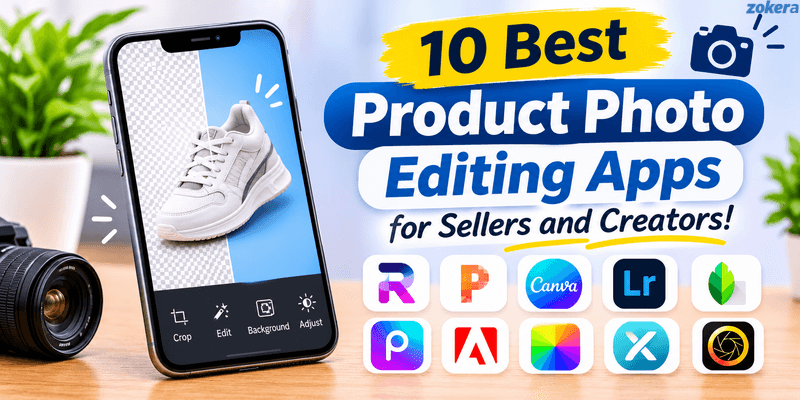
Product photos play an important role in online shopping. Clear and attractive images help customers understand products and make confident buying decisions. However, creating professional-looking product images does not always require expensive cameras or editing software. The right product photo editing apps can help you remove backgrounds, improve lighting, adjust colours, and create attractive product visuals. Whether you are an online seller or a content creator, these apps can make product photography easier and more consistent.
Creators who also promote products through short-form videos can explore video editing apps for Instagram Reels to improve their visual content.
Quick Answer
PhotoRoom and Pixelcut are useful for removing backgrounds and creating product images. Canva and Adobe Express work well for promotional graphics, while Lightroom and Snapseed offer better control over lighting and colours. Picsart, Fotor, Pixlr and PhotoDirector provide additional creative editing options. Your choice should depend on your editing requirements, budget, and preferred device.
Key Takeaways
PhotoRoom and Pixelcut are useful for AI-powered product photo editing.
Canva and Adobe Express help create product promotions and social media graphics.
Lightroom and Snapseed offer detailed photo adjustment tools.
Picsart and PhotoDirector provide creative editing options.
Fotor and Pixlr are useful for image enhancement and general editing.
Check free-plan limitations, export quality, and paid features before choosing an app.
10 Best Product Photo Editing Apps for Online Sellers and Creators
1. PhotoRoom: Best for Product Background Removal
PhotoRoom is one of the most useful product photo editing apps for online sellers. It helps users remove backgrounds, create product scenes, and prepare professional-looking images without complicated editing.
Its AI-powered tools can generate backgrounds and improve product visuals. You can also adjust brightness, contrast, shadows, and other image elements.
Key Features:
Automatic background removal and replacement.
AI-generated product backgrounds.
Product image enhancement.
Shadow and lighting adjustments.
Batch editing for multiple images.
Best For: Online sellers who regularly create product catalogue images, marketplace listings, and promotional visuals.
Pricing: PhotoRoom offers free access with limitations. Advanced AI features and higher export limits are available through paid plans.
2. Pixelcut: Best for Quick AI Product Photo Editing

Pixelcut is an AI-powered photo editing tool designed to simplify image creation. It helps sellers transform ordinary product photographs into cleaner and more attractive visuals.
The app includes background removal, image enhancement, and AI-powered background generation. Its editing tools are useful when you need product images for online stores, advertisements, or social media posts.
Key Features:
AI background removal.
Background replacement and generation.
Image enhancement.
Product photography templates.
Image resizing and editing tools.
Best For: Small business owners, online sellers, and creators who want quick product photo edits.
Pricing: Pixelcut offers free features, while some advanced editing options require a paid subscription.
3. Canva: Best for Product Photos and Promotional Designs

Canva is a popular design platform that combines photo editing with ready-made templates. It is useful when you want to turn product photographs into promotional graphics, social media posts, and marketing creatives.
You can upload product images, adjust their appearance, add text, and combine them with different design elements. Canva also provides background editing and AI-powered features on supported plans.
Key Features:
Ready-made product and social media templates.
Photo editing and background removal tools.
Text, graphics, and design elements.
Brand kits and reusable layouts.
Social media design formats.
Best For: Creators and online sellers who need product photographs and promotional graphics in one place.
Pricing: Canva offers a free plan. Some advanced features, premium assets, and background removal tools require Canva Pro.
Canva can also help creators prepare branded videos. If you regularly publish product demonstrations and promotional Reels, explore our guide to video editing apps for Instagram Reels.
4. Adobe Lightroom: Best for Colour and Lighting Correction

Adobe Lightroom is a photo editing application that offers detailed control over image quality. It is particularly useful when product photographs need better lighting, colour balance, or contrast.
You can adjust exposure, highlights, shadows, white balance, and sharpness. Lightroom also provides presets that help maintain a consistent appearance across multiple product photographs.
For example, clothing sellers can use Lightroom to make product colours look more consistent across catalogue images.
Key Features:
Exposure and brightness adjustments.
Colour correction and white balance.
Presets for consistent editing.
Detail and sharpness adjustments.
Photo organisation and editing tools.
Best For: Sellers and creators who want better control over product colours, lighting, and image quality.
Pricing: Lightroom offers free mobile editing features. Premium tools and additional capabilities require a subscription.
5. Snapseed: Best Free App for Manual Photo Editing

Snapseed is a mobile photo editing app with several tools for improving image quality. It is suitable for beginners who want to make product photographs look clearer without learning complicated editing techniques.
The app includes options for adjusting brightness, contrast, saturation, sharpness, and white balance. You can also use selective editing tools to make adjustments to specific areas.
Key Features:
Brightness and contrast adjustments.
White balance and colour correction.
Healing and selective editing tools.
Cropping and perspective correction.
Detail and sharpness controls.
Best For: Beginners and small online sellers who want free photo editing tools.
Pricing: Snapseed is available as a free mobile application.
6. Picsart: Best for Creative Product Visuals

Picsart combines photo editing with graphic design features. It helps users create creative product images, promotional graphics, and social media content.
You can remove backgrounds, add effects, apply filters, and include text or other design elements. Its AI-powered editing tools can also help transform ordinary product photographs into different creative visuals.
For online sellers, Picsart can be useful when creating promotional images for seasonal sales, product launches, and social media campaigns.
Key Features:
Background removal and replacement.
Filters and creative effects.
Text and graphic elements.
AI-powered editing tools.
Collage and design templates.
Best For: Content creators and sellers who want creative product images for social media marketing.
Pricing: Picsart offers free editing features, with additional tools available through paid plans.
7. Adobe Express: Best for Branded Product Content

Adobe Express is a design and editing platform for creating branded visual content. It helps users combine product photographs with text, templates, and design elements.
You can create promotional banners, product announcements, social media posts, and other marketing materials. Its ready-made templates make it easier for beginners to maintain a consistent design style.
Key Features:
Ready-made promotional templates.
Photo editing and background tools.
Text and graphic elements.
Branding and design options.
Social media content creation.
Best For: Small businesses and creators who regularly publish branded product content.
Pricing: Adobe Express offers a free plan. Selected premium features and assets require a paid subscription.
8. Fotor: Best for Quick Photo Enhancement
Fotor is an online photo editing platform that offers tools for improving image quality. It can help users adjust brightness, contrast, colours, and other image elements.
The platform also includes retouching, background editing, and AI-powered features. These tools can be useful when product photographs need basic corrections before being uploaded to an online store.
Key Features:
Brightness and contrast adjustments.
Image enhancement and retouching.
Background editing tools.
AI-powered editing features.
Design templates and creative effects.
Best For: Online sellers and creators who need simple photo enhancement tools.
Pricing: Fotor provides free editing options, while selected advanced features require a paid plan.
9. Pixlr: Best for Browser-Based Photo Editing
Pixlr is a browser-based photo editing platform that allows users to edit images without installing complex desktop software.
It provides tools for cropping, colour adjustments, layers, effects, and other editing tasks. Users can also access AI-assisted features depending on the available editor and subscription plan.
Pixlr is useful for sellers who prefer editing product images on a laptop or desktop. However, beginners may need some time to understand its advanced editing tools.
Key Features:
Browser-based photo editing.
Layer and selection tools.
Colour and image adjustments.
Creative filters and effects.
AI-assisted editing options.
Best For: Sellers and creators who prefer editing product photographs through a web browser.
Pricing: Pixlr offers free access with certain limitations. Additional features are available through paid plans.
10. PhotoDirector: Best for Advanced Creative Editing

PhotoDirector is a photo editing application that combines image correction, retouching, and creative editing tools.
It can help users improve product photographs, remove unwanted elements, and create more detailed visual compositions. Its additional editing options make it suitable for creators who work with different types of photography.
Key Features:
Photo correction and retouching.
Object removal tools.
Creative effects and adjustments.
AI-assisted editing features.
Advanced image editing options.
Best For: Creators and online sellers who need more than basic photo editing tools.
Pricing: PhotoDirector offers limited free access or trial options depending on the version. Check its official website for current subscription details.
Comparison of the Best Product Photo Editing Apps
App | Best Use | Free Option |
|---|---|---|
PhotoRoom | Background removal and product images | Yes, with limitations |
Pixelcut | AI-powered product photo editing | Yes, with limitations |
Canva | Product graphics and promotional designs | Yes |
Adobe Lightroom | Colour and lighting correction | Yes, basic features |
Snapseed | Manual photo adjustments | Yes |
Picsart | Creative product visuals | Yes, with limitations |
Adobe Express | Branded promotional content | Yes |
Fotor | Quick photo enhancement | Yes, with limitations |
Pixlr | Browser-based editing | Yes, with limitations |
PhotoDirector | Advanced creative editing | Limited free access or trial |
Note: Free features, export limits, and subscription plans may change. Check the official websites for the latest details.
How to Choose the Right Product Photo Editing App?
Choosing the right app depends on your editing requirements and the type of products you sell. Before subscribing to any tool, consider these important factors.
1. Identify Your Editing Requirements
Different apps offer different editing capabilities. Start by identifying the tasks you perform regularly.
Background removal: PhotoRoom and Pixelcut are useful options.
Colour correction: Lightroom and Snapseed offer detailed adjustment tools.
Promotional designs: Canva and Adobe Express provide ready-made templates.
Creative editing: Picsart and PhotoDirector offer additional effects.
Browser-based editing: Pixlr is suitable for desktop users.
2. Check Image Quality and Export Options
An editing app should maintain image quality after exporting. Check the supported resolution, file formats, and download limitations before choosing a tool.
Also, check whether the free version adds a watermark. This can affect how your product photographs appear on online marketplaces and social media.
3. Consider Your Editing Volume
If you edit only a few product photographs, free editing tools may be sufficient. However, sellers managing large product catalogues may benefit from batch editing and reusable presets.
Consider how many images you need to edit every month before purchasing a subscription.
4. Check Device Compatibility
Some photo editing apps are designed primarily for mobile users, while others provide more editing options on desktop.
Check whether the app supports your device and whether it allows you to access your projects across different platforms.
5. Compare Free and Paid Features
Do not choose an application based only on its free trial. Check its subscription cost, export limitations, and access to advanced editing features.
Test the app using your own product photographs before purchasing a paid plan.
Tips for Editing Product Photos for Online Stores
A good editing app can improve product photographs, but the original image also matters. Start with clear photography and make adjustments that preserve the actual appearance of the product.
Here are some practical tips:
1. Use proper lighting: Photograph products in soft, even lighting. Avoid harsh shadows that hide important details.
2. Choose a clean background: A simple background helps customers focus on the product. Remove unnecessary objects that distract from the main subject.
3. Maintain accurate colours: Adjust brightness and white balance carefully. Do not change the actual product colour through excessive filters.
4. Keep image framing consistent: Use similar positioning and dimensions for products within the same category.
5. Avoid excessive editing: Do not remove important product details or change textures. Customers should receive an item that matches its photographs.
6. Use suitable image resolution: Follow the image size and format requirements of your online store or marketplace.
7. Review images on mobile: Check how your product photographs look on smaller screens before publishing them.
Product photography is only one part of creating content that attracts customers. Creators can also combine product images with demonstrations, reviews, and short videos. Our guide to video editing apps for Instagram Reels can help you choose tools for that workflow.
How Can Creators Use Product Photos to Promote Products?
Product photographs can help creators build useful shopping content. Instead of simply sharing a product link, creators can publish product comparisons, styling ideas, demonstrations, and recommendations.
Here are a few practical content ideas:
Product reviews: Share clear photographs and explain the product's useful features.
Before-and-after posts: Show visible differences when reviewing suitable products.
Product comparisons: Compare features, designs, and prices of similar products.
Shopping recommendations: Create collections around a specific audience interest.
Product demonstration videos: Combine edited photographs with short video clips.
Creators who use Reels to promote products can also learn how to add shoppable links to Instagram Reels. This connects product-focused content to a shopping destination.
Creators interested in monetising their recommendations can read our guide on how creators earn commission on Instagram.
Conclusion
The right product photo editing apps can help online sellers and creators prepare clear, attractive, and consistent product images. PhotoRoom and Pixelcut are useful for background removal, while Lightroom and Snapseed offer better control over image quality. Canva and Adobe Express suit promotional designs. Compare their features, pricing, and export limitations before choosing an app. Most importantly, keep your product photographs accurate and visually consistent.
Creators who regularly recommend products can organise their selections through a Zokera creator storefront. They can group products into collections and share one storefront link across their social media channels. Read our guide to setting up a Zokera creator storefront to understand the process.
Frequently Asked Questions (FAQs)
1. Which app is best for editing product photos?
PhotoRoom is a useful option for background removal and product visuals. Lightroom works well for colour correction, while Canva is suitable for promotional designs. Choose an app based on your editing requirements.
2. Which product photo editing app is free?
Snapseed offers free photo editing tools. Canva, PhotoRoom, Pixelcut, Picsart, Fotor, and Pixlr also provide free access with certain limitations.
3. How can I remove the background from a product photo?
You can use background removal tools available in apps such as PhotoRoom and Pixelcut. Upload your product photograph, let the tool detect the background, and review the edges before exporting the image.
4. Can I edit product photos on my phone?
Yes. Apps such as PhotoRoom, Pixelcut, Canva, Lightroom, Snapseed, and Picsart support mobile editing. You can use them to adjust lighting, remove backgrounds, and create product visuals.
5. How can I make product photos look professional?
Use proper lighting, a clean background, and consistent framing. Adjust brightness and colours without changing the actual product appearance. Always export images in a suitable resolution.
6. Do I need a paid app to edit product photos?
No. Free applications can handle basic editing tasks such as cropping, brightness adjustment, and colour correction. Paid plans are useful when you need advanced features, batch editing, or higher export limits.
Comments (0)
Be the first to comment.