
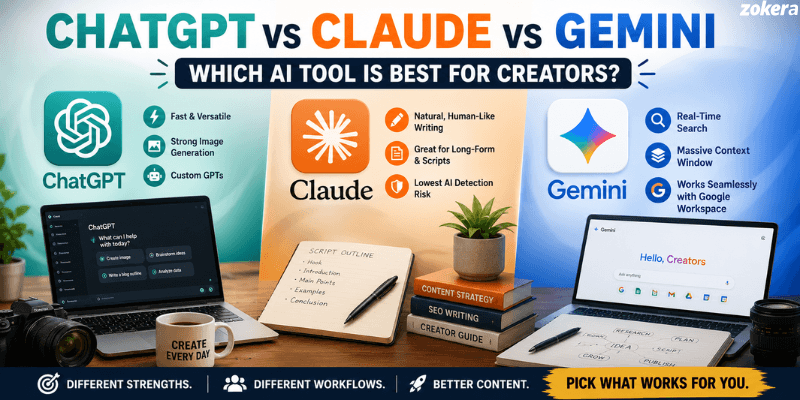
Every creator hits the same wall eventually: too many ideas, too little time, and three AI tools claiming to solve both problems. ChatGPT, Claude, and Gemini all sound similar on paper. But once you start using them for actual scripts, captions, and SEO content, the differences show up fast. Here's a breakdown built around what creators actually need, not spec sheets.
Quick Verdict: ChatGPT vs Claude vs Gemini at a Glance
Tool | Best For | Standout Feature | Pricing |
|---|---|---|---|
ChatGPT | Everyday assistance, image prompts, custom GPTs | Fast, low editing time, strong image generation | ~$20/month |
Claude | Long-form writing, scripts, SEO content | Natural tone, fewer AI-detection flags | ~$20/month |
Gemini | Research-heavy content, Google Workspace users | Massive context window, real-time search | ~$20/month |
All three sit in roughly the same consumer pricing tier, so the real decision comes down to where your workflow already lives and what type of content you're producing most.
ChatGPT for Creators
ChatGPT remains the go-to for creators who want speed and versatility without a steep learning curve. Independent testing across content types has repeatedly shown it needs the least editing time overall.
Where it wins:
Custom GPTs built specifically for SEO research and keyword clustering
Strong image generation for thumbnails, carousels, and promotional graphics
Consistently requires less editing time across quick-turnaround content types
Good for brainstorming and breaking through blank-page anxiety on new projects
Where it falls short:
Long-form content can read a little generic without heavy prompting
Detection tools flag ChatGPT output more often than Claude's
Context window is smaller, so it can lose track of longer documents
Claude for Creators
Claude has built a reputation among writers and long-form creators specifically because its output needs less cleanup.
Where it wins:
Matches writing style and tone more naturally, which matters for creators with an established voice
Handles complex, multi-step instructions more precisely than the other two
Produces content that's flagged least often by AI detection tools, useful for creators worried about reader trust or platform penalties
Strong for SEO blog writing, scripts, and anything where nuance and structure matter more than speed
Where it falls short:
Smaller context window than Gemini for processing very large documents or multiple files at once
Doesn't have native real-time search built in the same way Gemini does
Image generation isn't the focus here, so creators needing visuals will still reach for another tool
Gemini for Creators
Gemini's biggest advantage isn't writing quality. It's what it can hold in its head at once.
Where it wins:
Massive context window means it can process entire documents, spreadsheets, or even long videos without losing earlier details
Real-time Google Search integration makes research-heavy scripts faster to fact-check
Deep integration with Google Docs, Sheets, and Workspace for creators already working in that ecosystem
Excelled specifically in SEO content tasks in head-to-head testing, even when it needed more editing elsewhere
Where it falls short:
Typically needs the most human editing across general content types
Conclusions and summaries can run long-winded compared to Claude or ChatGPT
Less natural for matching a creator's personal tone or voice
Task-by-Task: Which Tool for Which Job

Rather than picking one "winner," most creators split tasks across tools based on what each does best.
Scripting and Long-Form Content
Claude tends to come out ahead here. It follows detailed briefs closely and produces drafts that need fewer rounds of edits, which matters when you're publishing on a schedule.
SEO and Blog Writing
This is genuinely split. Claude handles structure and natural tone well, while Gemini has shown strong results specifically in SEO-focused testing, partly because of its research integration.
Social Captions and Titles
ChatGPT's speed and lower editing overhead make it a solid default for quick-turnaround captions, titles, and short-form copy.
Research-Heavy Content
Gemini's real-time search and large context window make it the clear choice when a script or article needs current data pulled in from multiple sources.
Editing Time Comparison
Across testing, ChatGPT and Claude required the least editing overall, with Gemini needing the most cleanup except in SEO-specific tasks, where it performed better than expected.
Can Creators Use More Than One AI Tool?
Yes, and plenty of professional creators already do. A common setup looks like this:
Claude for scripting and long-form drafts
ChatGPT for social captions, titles, and quick image prompts
Gemini for research-heavy pieces and anything living inside Google Docs
Since all three subscriptions sit around $20/month, running two or three side by side is realistic for creators earning consistently from their content, whether through brand deals, affiliate income, or creator storefronts.
Free Plan vs Paid Plan: What Creators Actually Need
Before paying for any of these tools, it's worth knowing what the free tiers actually cover, since not every creator needs the $20/month plan from day one.
ChatGPT Free gives you GPT access with usage limits and slower responses during peak hours. Fine for occasional captions or brainstorming, but custom GPTs and higher usage caps need Plus.
Claude Free covers a reasonable number of daily messages, which works for creators writing one or two pieces a week. Heavier weekly output (multiple scripts, blogs, or long documents) hits the limit fast and pushes you toward Pro.
Gemini Free comes bundled into a regular Google account with a smaller context window than the Advanced tier. Creators doing light research tasks can often get by here without upgrading.
The general pattern: free tiers work for creators publishing occasionally or testing which tool fits their workflow. Paid tiers become worth it once AI-assisted content is a weekly habit rather than an occasional shortcut.
Which Tool Fits Your Creator Niche

Different content formats lean toward different tools, based on what each one is actually built to handle.
YouTubers and long-form video creators: Gemini's ability to process entire video transcripts makes it useful for repurposing long videos into blogs, show notes, or social clips. Claude works well for the actual script draft once the research is done.
Bloggers and newsletter writers: Claude is the stronger fit here, given its lower editing overhead and better tone-matching for consistent, personality-driven writing.
Instagram and short-form creators: ChatGPT's speed and image generation make it a practical default for captions, carousel copy, and quick visual concepts.
Podcasters: Gemini's context window helps with processing full episode transcripts for show notes and clips, while Claude is a solid choice for turning raw transcripts into polished blog recaps.
Creators monetizing through brand deals and storefronts: Any of the three can support this, but faster content turnaround (regardless of tool) directly frees up time for outreach, pitching, and managing partnerships.
Where This Fits Into Your Creator Income Strategy
Picking the right AI tool saves time. But the bigger question for most creators is what to do with that saved time. If you're producing content faster, that's more bandwidth to focus on monetization, whether that's brand partnerships, affiliate links, or running your own storefront where every sale also earns your followers cashback.
Creators building a content business today are stacking multiple income streams, and faster content production through the right AI tool is one of the easiest ways to free up time for that. If you're exploring how creator commerce actually works or looking to compare micro influencer vs mega influencer opportunities, that's a natural next step once your content workflow is sorted.
Data Privacy and IP Considerations for Creators
This part gets skipped in most comparisons, but it matters if you're building a content business on top of these tools.
Ownership of AI-generated content: Under current terms across all three platforms, creators generally retain rights to output generated through paid plans, but it's worth checking the latest terms directly since policies get updated.
Training data opt-outs: Each platform offers some level of control over whether your conversations are used to train future models. Paid business or team tiers typically offer stronger opt-out controls than free consumer plans.
Client and brand work: If you're producing sponsored content or work under an NDA, check whether your plan's data handling terms are appropriate before pasting confidential briefs or contracts into any of these tools.
Sharing drafts across tools: Moving a script between ChatGPT, Claude, and Gemini for different stages of editing is common, but keep a local copy of source material rather than relying on any single tool's history or memory features.
None of this should stop a creator from using AI tools daily. It just means treating them the way you'd treat any third-party software touching your business content: read the terms once, then move fast.
Prompt Tips That Actually Improve Output
A tool is only as good as the brief it's given, and creators consistently get better results with a few small habits.
Give examples, not just instructions. Pasting a past piece you liked and asking the tool to match that tone works better than describing the tone in words.
Break long-form requests into steps. Ask for an outline first, approve it, then ask for the full draft. This applies especially well to Claude and Gemini for longer scripts or blogs.
Specify the platform. A caption for Instagram Reels needs different pacing than a YouTube description, and naming the platform upfront saves a revision round.
Ask for alternatives, not one version. Requesting two or three options for a headline or hook, rather than a single draft, usually surfaces a stronger option faster than editing one draft repeatedly.
Feed in your audience data when relevant. Sharing what has performed well before (even a rough summary) helps all three tools tailor tone and structure closer to what your specific audience responds to.
Conclusion
There's no single winner between ChatGPT, Claude, and Gemini. Each one is built around a different strength: ChatGPT for speed and visuals, Claude for long-form writing that needs less cleanup, and Gemini for research-heavy work and huge documents. Most creators end up using at least two of these side by side rather than betting everything on one tool.
The real shift happens once the content workflow stops eating your whole day. That's when time actually opens up for the parts of the business that pay: brand deals, affiliate income, and running your own storefront where every sale also earns your followers cashback. Pick the tool that fits your content type first, then let the time it saves you go toward growing the income side of your creator work.
Frequently Asked Questions (FAQs)
Q1. Is Claude better than ChatGPT for content writing?
Claude generally needs less editing and matches tone more naturally, making it a stronger pick for long-form writing. ChatGPT is faster for quick, short-form content.
Q2. Which AI tool is best for SEO blog writing?
Claude and Gemini both perform well here. Claude for structure and tone, Gemini for research-heavy topics needing real-time data.
Q3. Do I need to pay for all three AI tools?
No. Most creators start with one tool based on their main content type and add a second only if they hit a clear gap, like needing deeper research or better image generation.
Q4. Which AI is least likely to get flagged by AI detectors?
Claude has consistently tested lowest for AI-detection flags among the three, which matters for creators concerned about platform or reader trust issues.
Q5. Can Gemini replace Claude or ChatGPT completely?
Not for most creators. Gemini's strength is its context window and research integration, but it typically needs more editing for general content compared to Claude or ChatGPT.
Q6. Which AI tool is best for beginner creators just starting?
ChatGPT's free tier and lower learning curve make it the easiest starting point. Creators can add Claude or Gemini later once they identify specific gaps in their workflow.
Q7. Do these AI tools work well for non-English content?
All three handle multiple languages, but quality varies by language and use case. It's worth testing with a small sample of your actual content before committing to one tool for non-English work.
Q8. Can I use these AI tools for video scripts specifically?
Yes. Gemini is strongest when a script needs current research pulled in, Claude works well for polished, natural-sounding dialogue, and ChatGPT is useful for quick outline drafts.
Q9. Is it safe to publish AI-generated content without editing?
No. All three tools need at least some human review for accuracy, tone, and originality. Treat AI output as a draft, not a finished piece, regardless of which tool you use.
Comments (0)
Be the first to comment.