
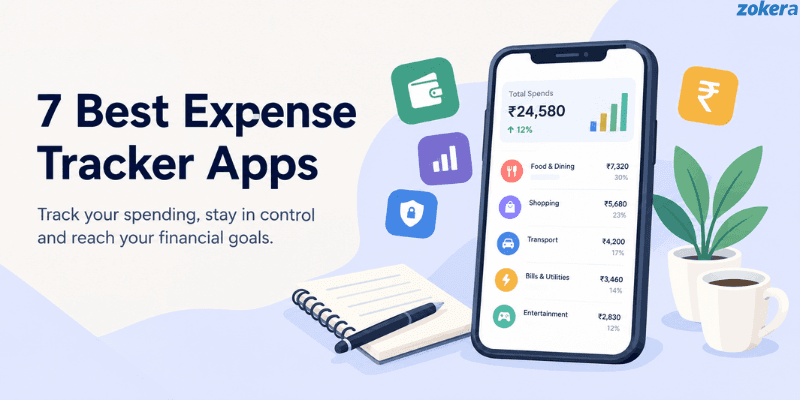
Managing money becomes difficult when expenses come from UPI, debit cards, credit cards, cash, subscriptions, bills, and online shopping. The right expense tracker apps India users can rely on can make it easier to record spending, set budgets, review categories, and spot areas where money is going out too quickly.
This guide compares seven expense trackers based on how they record expenses, automation, budgeting, account connections, reporting, platform support, and ease of daily use.
How We Picked These Expense Tracker Apps
We looked at how each app records spending and how much work is required from the user. The comparison considers:
• Automatic and manual expense entry
• Transaction alerts and SMS tracking
• UPI and digital transaction support
• Budgeting and spending limits
• Expense categories
• Reports and spending insights
• Bank and account connections
• Android and iOS availability
• Free and paid features
• Privacy and permissions
• Backup and export options
• Compatibility with common spending habits in India
The aim is not to find one universal option for everyone. Different users need different levels of automation, control, account connectivity, and reporting.
Expense Tracker Apps India Comparison
App | Tracking Method | Automatic Tracking | Budgeting | Bank Connection | Best For |
|---|---|---|---|---|---|
FinArt | SMS, notifications, email, and manual | Yes | Yes | Check current supported options | Automated expense tracking |
Money View | Transaction messages and manual | Yes | Yes | No traditional bank login required for SMS tracking | Hands free tracking on Android |
Axio | Transaction messages and manual | Yes | Yes | Not required | Android users |
INDmoney | Connected financial data and manual tracking | Yes | Yes | Yes, for supported accounts | Spending alongside investments |
Wallet by BudgetBakers | Bank connections and manual | Yes | Yes | Yes, supported banks | Mu tracking |
Money Manager | Manual | No | Yes | No | Detailed manual control |
Monefy | Manual | No | Yes | No | Fast daily logging |
7 Best Expense Tracker Apps in India
1. FinArt
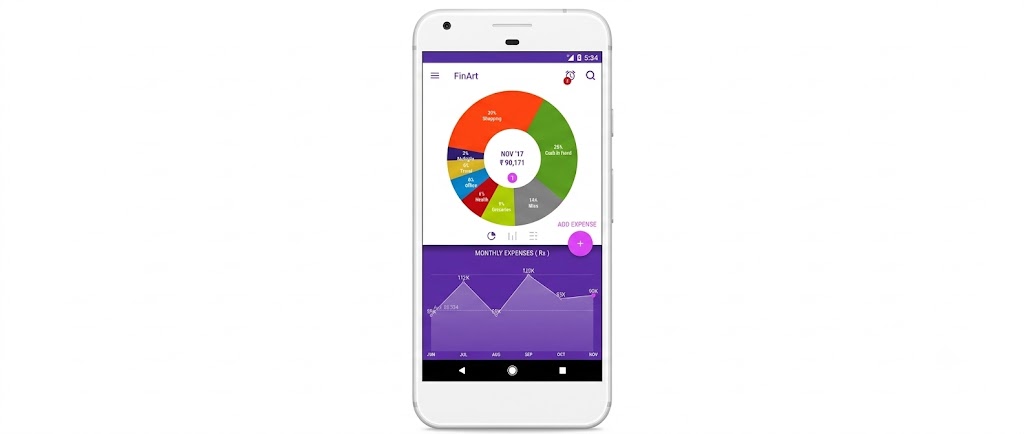
Best for: Automatic tracking from SMS, notifications, and email
FinArt is designed for people who want expense entries created automatically instead of recording every transaction manually. Its official information describes automatic categorization, spending trends, bill reminders, and manual expense entry.
Key features:
• Automatic expense categorization
• Spending trends
• Manual expense entry
• Bill reminders
• Budget tracking
• Private mode
• Five-day free trial
Platform: Android and iOS
Limitations: Automation depends on supported transaction sources, permissions, and the platform you use.
Why it matters:
Automatic entries reduce repetitive typing.
Categories make monthly spending easier to review.
Bill reminders can help avoid missed payment deadlines.
Who should use it: People who want a high level of automatic expense tracking.
2. Money View

Best for: Hands free tracking on Android
Money View reads transaction SMS with your permission and sorts spending into categories so you do not have to type every transaction yourself. Its own product information also lists budgeting, spending analysis, bill reminders, and transaction monitoring features.
Key features:
• Automatic categories from bank SMS
• One passbook view of balances
• Monthly budgets with alerts
• Bill reminders
• PIN protection inside the app
• Spending summaries
Platform: Android
Limitations: Tracking depends on the messages your banks send and the permissions you grant. Money View also offers personal loans, so understand which features you are using.
Why it matters:
Setup is quick because transaction history can come from messages already on your phone.
Budget alerts help you monitor spending against your monthly limit.
Bill reminders can help reduce missed due dates.
Who should use it: Android users who want entries created for them.
3. Axio

Best for: SMS tracking with notes and receipts
Axio uses transaction messages to help users track spending and offers features for categorization, expense analysis, notes, receipts, and reports. Its current information states that Axio is available on Android and does not support syncing across multiple devices.
Key features:
• Automatic transaction tracking
• Expense categorization
• Notes and tags
• Receipt support
• Spending summaries
• PDF and CSV reports
• Manual expense entries
Platform: Android
Limitations: Tracking depends on transaction messages and permissions. Axio does not currently support syncing across devices.
Why it matters:
Transaction messages reduce manual entry.
Notes and receipts help add context to individual spends.
Reports make monthly spending easier to review.
Who should use it: Android users who want automatic transaction tracking with additional notes and receipts.
4. INDmoney

Best for: Spending alongside investments
INDmoney goes beyond basic expense logging by combining bank account tracking, expense analysis, investments, credit cards, goals, and net worth information. Its platform allows users to view financial information in one place and track spending alongside broader financial activity.
If you are also exploring where to put money after managing monthly expenses, our guide to investment apps in India for beginners covers different investment platforms and the features beginners should compare.
Key features:
• Bank account tracking
• Categorized expense information
• Statement downloads
• Investment tracking
• Credit card tracking
• Net worth tracking
• Financial goals
Platform: Android and iOS
Limitations: INDmoney is broader than a simple expense tracker. Users who only want a basic spending ledger may not need all of its financial features.
Why it matters:
Spending can be reviewed alongside investments and other financial information.
Bank account tracking can reduce the need to switch between multiple apps.
Categorized expenses make spending patterns easier to identify.
Who should use it: Users who want to monitor spending as part of a broader personal finance setup.
5. Wallet by BudgetBakers
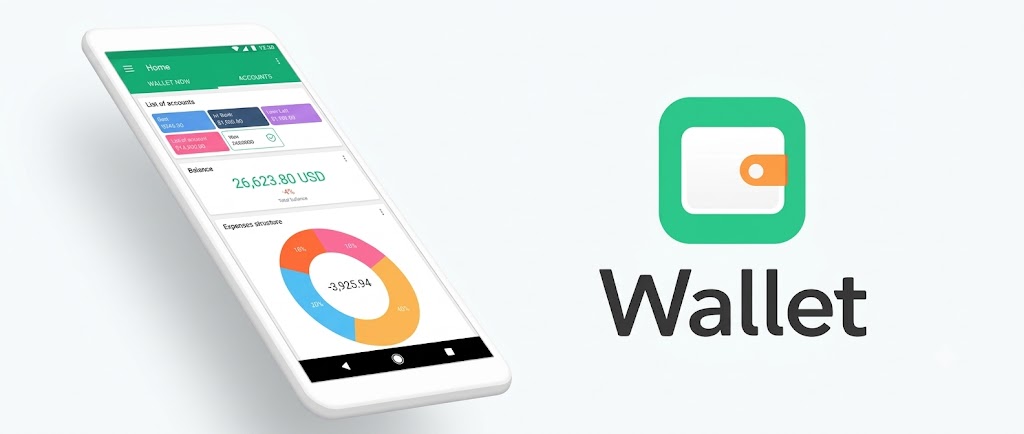
Best for: Multi-account tracking
Wallet combines manual expense entry with bank connections, budgets, reports, and spending insights. Its bank connection feature supports automatic transaction imports for supported financial institutions.
If you use several accounts or payment methods, the ability to see them together can make monthly budgeting easier. However, Indian users should check whether their specific bank is currently supported before connecting an account.
Key features:
• Bank account syncing
• Manual expense entry
• Budgets
• Automatic categorization
• Spending reports
• Multiple accounts
• Shared finances
Platform: Android, iOS, and web
Limitations: Bank coverage is not universal. Some advanced features may require a paid plan.
Why it matters:
Multiple accounts can be viewed in one place.
Automatic and manual tracking can be combined.
Reports make longer-term spending patterns easier to understand.
Who should use it: People managing multiple accounts who want connected and manual tracking options.
6. Money Manager
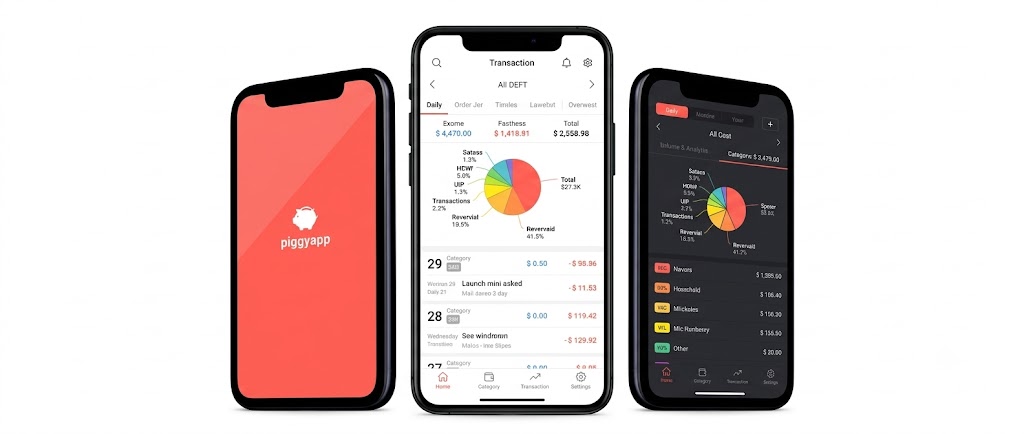
Best for: Detailed manual control
Money Manager by Realbyte is built around manual expense and account management. It supports categories, budgets, multiple accounts, reports, backup and restore, and graphical spending analysis.
Its current Google Play listing shows a free version with a 15-asset limit, while its iOS listing is also available for iPhone and iPad.
Key features:
• Manual expense entry
• Custom categories
• Multiple accounts
• Budget planning
• Spending charts
• Backup and restore
• Excel file backup
Platform: Android, iOS, and iPadOS
Limitations: Manual tracking requires consistent entries. The free Android version has a 15 asset limit according to its current Google Play listing.
Why it matters:
Manual entry gives users more control over what gets recorded.
Custom categories can match personal spending habits.
Detailed reports help users study spending over time.
Who should use it: People who prefer detailed manual control over automatic transaction reading.
7. Monefy
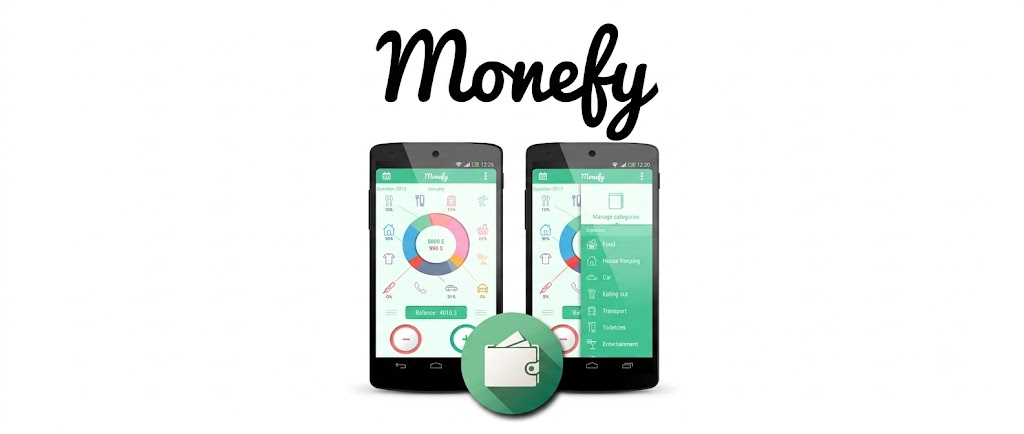
Best for: Fast manual logging
Monefy keeps expense entry simple: choose a category, enter the amount, and save it. It also supports synchronization across devices, cloud backup, budgets, and account management.
Key features:
• Quick category-based entry
• Custom categories and budgets
• Multiple accounts
• Spending charts and history
• Home screen widget
• Cloud backup
Limitations: Everything is manual, so skipped entries can create gaps in your monthly records. Some features require the Pro version.
Why it matters:
Quick entry makes daily tracking easier to maintain.
No SMS or bank access is needed.
Cloud synchronization can make the same financial data available across devices.
Who should use it: People who want a simple interface for daily spending without granting SMS or bank permissions.
Track First, Then Cut What You Spend
Expense tracking shows where your money goes. The next step is trimming the effective cost of purchases you were already planning to make.
Zokera is not an expense tracker, so it is not on the list above. It is a creator commerce platform that connects creators, brands, and shoppers through storefronts and 1,100+ brand partnerships, and shoppers can earn follower cashback on eligible purchases made through creator storefronts. Cashback availability and terms vary by product and brand, so check the offer page before you buy. For background, read what creator commerce is.
A simple routine is to log spends all month, find your biggest shopping category, and check for available cashback before your next purchase in it. Creators can also use a storefront for product recommendations, and the guide on earning on Zokera covers the basics.
What to Look for in an Expense Tracker in India
1. Automatic or Manual Entry
Automatic tracking saves time, while manual entry gives you greater control. Choose based on how consistently you record expenses.
2. UPI and Transaction Support
If most of your spending happens through UPI, cards, or bank transfers, check whether the app can capture those transactions in a practical way.
3. Budgeting
A useful tracker should let you set monthly or category budgets so you can compare planned spending with actual spending.
4. Expense Categories
Categories such as food, transport, shopping, bills, subscriptions, travel, and entertainment make spending patterns easier to understand.
5. Reports and Insights
Look for weekly, monthly, and yearly summaries that help you identify where spending is increasing.
6. Privacy and Permissions
Check which permissions the app requests and why it needs them. This matters especially for apps that read transaction messages or connect financial accounts.
7. Platform Support
Check whether the app works on Android, iOS, web, or the devices you actually use.
8. Free and Paid Features
A free plan may be enough for basic tracking, while advanced reports, syncing, or unlimited accounts may require payment.
9. Backup and Export
Backup and export options matter if you change phones, want a copy of your records, or decide to move to another app.
10. Bank Compatibility
If you want automatic bank syncing, check your specific bank rather than assuming every bank is supported.
For a broader look at apps that can help reduce monthly spending, you can also explore our guide to money saving apps in India.
Manual vs Automatic Expense Tracking
Manual Tracking
Manual tracking means you enter each expense yourself.
Advantages:
• More control over categories
• No transaction message access required
• Works well for cash spending
• Easy to customize
Limitations:
• Takes more time
• Easy to forget transactions
• Requires a consistent habit
Automatic Tracking
Automatic tracking can identify eligible transactions through supported messages, notifications, or connected financial accounts.
Advantages:
• Less repetitive entry
• Useful for frequent digital payments
• Faster monthly reviews
• Better visibility into recurring transactions
Limitations:
• Permissions may be required
• Some transactions may not be detected
• Categories can sometimes need correction
• Features can differ between Android and iOS
For many people, a combination works well: automate what the app can reliably capture and manually add cash or missing expenses.
What Can Expense Tracker Apps Help You Track?
Depending on the app, you can track:
• Daily purchases
• Food and groceries
• Shopping
• Transport
• Rent and utilities
• Subscriptions
• Credit card spending
• UPI transactions
• Cash expenses
• Travel
• Education expenses
• Work expenses
• Recurring bills
• Savings goals
The important part is consistency. A basic tracker used every day can be more useful than a feature rich app that you stop using after a week.
If investing is also part of your financial routine, you can separately compare SIP and lump sum investment in India to understand how regular investing differs from investing a larger amount at once.
Expense Tracking for Creators and Freelancers
Creators and freelancers often have several income sources and work expenses at the same time. Tracking software subscriptions, internet bills, equipment, advertising, travel, and other work expenses can make it easier to understand the real cost of earning.
Keep personal and work expenses separate where practical. Save invoices and receipts, record payments received, and maintain relevant tax records. GST registration depends on your circumstances, so check the official GST registration guidance before making a decision.
Our guide on GST registration for content creators in India explains the topic in more detail. Freelancers should also review the applicable Income Tax Department guidance when keeping records of income and work-related expenses.
Creators who are looking beyond expense tracking can also learn how to start monetizing as a creator and understand how creator commerce can turn product recommendations into an additional income stream.
Start Tracking Your Expenses in 15 Minutes
You do not need a complicated financial system to start.
1. Choose Your Tracking Method
Pick an automatic tracker if you want less manual work. Pick a manual tracker if you prefer more control.
2. Create Your Main Categories
Start with essential categories such as food, shopping, transport, bills, subscriptions, and entertainment.
3. Add Your Accounts
Add the accounts or payment methods you actually use. Do not connect unnecessary financial accounts.
4. Record Recent Expenses
Add recent transactions so your first monthly report has enough information to be useful.
5. Set Two or Three Spending Limits
Start with categories where you already know spending tends to increase.
6. Review Once a Week
A short weekly review is easier to maintain than waiting until the end of the month.
7. Cut One Unnecessary Expense
Once you see where the money is going, choose one expense to reduce rather than trying to change everything at once.
Are Expense Tracker Apps Safe to Use?
Expense trackers can handle sensitive financial information, so permissions and data practices matter.
Account Aggregator Framework
When an app uses India's Account Aggregator framework, it shares financial information based on customer consent. The Department of Financial Services states that the framework does not retrieve, share, or transfer financial information without explicit customer consent. Read the Account Aggregator Framework information from the Department of Financial Services and the RBI before connecting financial information.
Android SMS Access
SMS permissions are sensitive permissions on Android. Google Play restricts the use of SMS and Call Log permission groups and requires apps to meet applicable requirements for their use. If an expense tracker requests SMS access, check why the permission is required and how the app handles the information.
Before Connecting Financial Information
Before connecting a bank account or granting message access:
• Read the app's privacy policy.
• Check the permissions it requests.
• Understand whether data is stored on the device or remotely.
• Check whether bank access is read only where applicable.
• Review available export and deletion options.
• Download apps from official app stores.
• Never share your UPI PIN, card PIN, OTP, or banking password with an expense tracker.
If you spot an unauthorised debit, call 1930 and report it on the National Cyber Crime Reporting Portal.
Conclusion
The right expense tracker depends on how you manage money. FinArt and Money View suit users who want more automatic tracking, while Axio focuses on transaction messages on Android. INDmoney adds broader financial tracking, Wallet supports connected accounts, and Money Manager and Monefy provide manual control.
The important thing is to choose a system you will actually maintain. Track spending consistently, review the categories where money goes, and then look for practical ways to reduce the cost of purchases you already planned to make.
Frequently Asked Questions (FAQs)
1. What is the best expense tracker app in India?
There is no single option for everyone. FinArt and Money View suit users who want more automatic tracking, while Money Manager and Monefy suit people who prefer manual entry.
2. Can I track daily expenses with an app?
Yes. Both automatic and manual trackers can be used for daily spending. The difference is how much data you need to enter yourself.
3. Can expense tracker apps track UPI spending?
Some apps can identify eligible UPI transactions through supported transaction messages or connected accounts. Check the current features and permissions before choosing an app.
4. Are free expense tracker apps available?
Yes. Several apps offer free versions or free core tracking features, although advanced features may require payment.
5. Are expense tracker apps safe?
Safety depends on the app's permissions, data practices, financial connections, and security controls. Review these details before connecting financial information.
6. Should I use manual or automatic tracking?
Use automatic tracking if reducing manual work is your priority. Choose manual tracking if you want greater control over every entry.
7. Can freelancers use expense tracker apps?
Yes. Freelancers can use them to organize work expenses, personal expenses, recurring bills, and other spending. Tax and GST obligations depend on individual circumstances.
Comments (0)
Be the first to comment.