
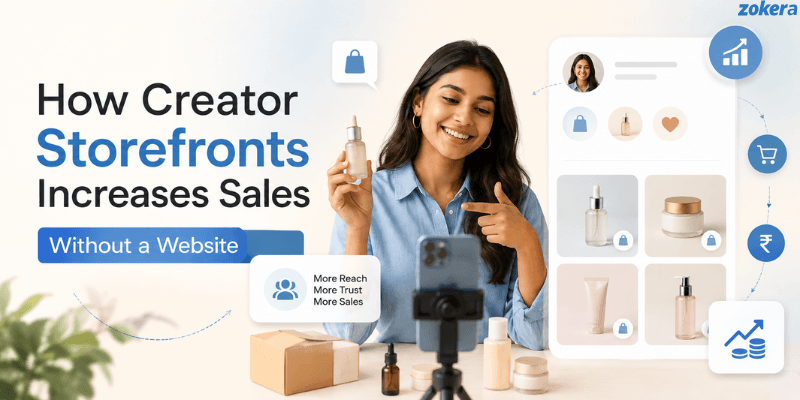
If you are wondering how a creator storefront increases sales without a traditional website, the answer is simpler than building a full e-commerce site. A creator storefront gives your audience one place to discover recommended products, explore curated collections, and shop through links shared from social media. Instead of sending followers through multiple pages, creators can connect content with products in a focused shopping experience. This can reduce friction, improve product discovery, and make social traffic more valuable.
Can a Creator Storefront Increase Sales Without a Website?
Yes, a creator storefront can help increase sales without requiring you to build and maintain a traditional website.
Creators already have an important part of the sales process: an audience. Platforms such as Instagram and YouTube help creators attract people through videos, posts, reviews, tutorials, and recommendations.
The challenge starts when someone becomes interested in a product. If that person has to search for the product, visit multiple pages, compare links, or navigate through an unrelated website, there are more opportunities for them to leave.
A creator storefront creates a focused destination between your content and the shopping experience.
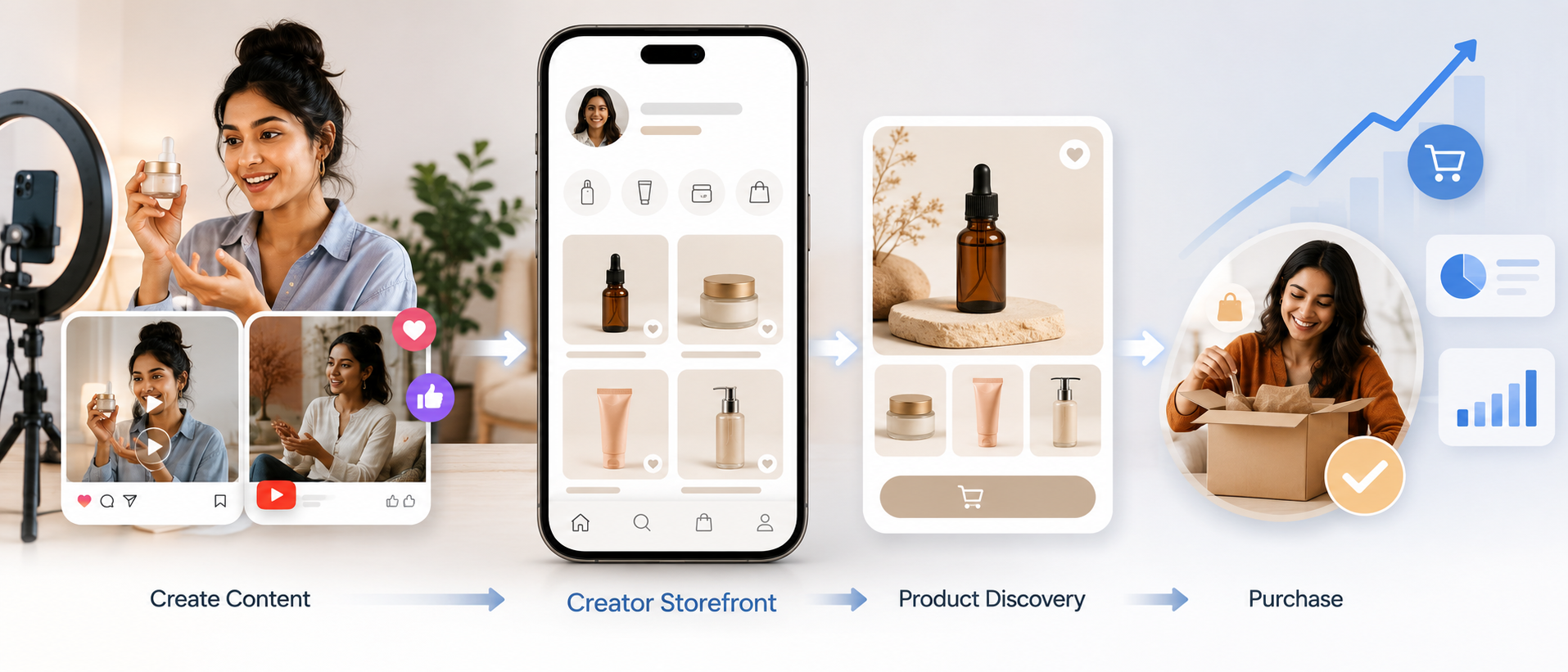
The basic journey becomes:
Social content → Creator storefront → Product discovery → Purchase
A storefront does not guarantee sales, but it can make the path from product discovery to purchase more direct. Understanding what creator commerce is can also help creators see how content, recommendations, and commerce can work together.
Why Creators Don't Always Need a Website to Start Selling
A traditional website can be valuable for a growing business, but it is not always necessary for a creator whose audience primarily comes from social media.
Social Media Already Brings the Audience
Creators often build their audiences through content rather than traditional websites.
For example:
A beauty creator can recommend skincare products through tutorials.
A tech creator can demonstrate useful gadgets in reviews.
A fitness creator can share workout equipment and accessories.
A fashion creator can showcase outfits and styling products.
A food creator can recommend kitchen tools and ingredients.
The content creates interest first. A storefront then gives interested followers a dedicated place to explore the products.
A Storefront Gives That Audience One Shopping Destination
Without a storefront, creators may share individual product links across posts, Stories, videos, comments, or direct messages.
Over time, these links can become difficult for followers to find.
A creator storefront can bring relevant recommendations together in one destination. This means followers can:
Visit the creator's storefront.
Browse relevant products or collections.
Select the product they are interested in.
Continue to the available purchase process.
This creates a more organized experience than sending followers to several unrelated destinations. Creators who want to understand the setup process can also explore how to set up a Zokera creator storefront.
You Can Start With a Focused Selling Experience
A traditional website can involve decisions around:
Domain and hosting
Website design
Navigation
Product pages
E-commerce functionality
Technical maintenance
Payment and checkout setup
A creator storefront focuses on a narrower objective: connecting a creator's audience with relevant products.
That makes it useful for creators who want to monetize their existing social audience without first building a complete website. If you are considering this approach, learning how digital storefronts work for creators in India can help you understand how this type of selling experience works.
How Creator Storefronts Increase Sales
The biggest advantage of a creator storefront is not simply having another link in your bio. Its value comes from how it connects audience attention with products.
Here are the main ways a creator storefront can support more sales:
1. They Turn Social Traffic Into Shopping Traffic
Social media can generate significant attention, but attention does not automatically become a sale.
A storefront gives interested users somewhere to go after they discover a product through your content.
For example, imagine a creator posts a Reel showing five useful desk accessories.
Instead of asking viewers to search for every product separately, the creator can direct them to a storefront where the recommendations are organized together.
The process becomes:
Content → Interest → Storefront visit → Product click → Purchase
The content generates interest while the storefront provides a destination for shopping.
If you are already using shoppable links on Instagram Reels, connecting relevant content with products can make this journey more intentional.
Instagram also provides product-tagging features for eligible creators. Creators should check Instagram's official guidance for tagging products in Reels for the latest requirements and availability.
2. They Reduce Friction Between Discovery and Purchase
Every unnecessary step can create friction.
Compare these two journeys:
Without a focused storefront:
See product in a social post.
Search for the product.
Find the product website or marketplace.
Compare different results.
Locate the product again.
Continue toward purchase.
With a creator storefront:
See product in creator content.
Visit the creator storefront.
Find the recommended product.
Continue toward purchase.
The second journey can be more focused because the creator has already introduced the product and provided a relevant destination.
3. They Put Recommended Products in One Place
Creators frequently recommend multiple products within the same niche.
For example, a tech creator might recommend:
Headphones
Keyboards
Microphones
Webcams
Laptop accessories
Instead of sharing these recommendations separately, a creator can organize them into collections such as:
My Creator Setup
Budget Tech Picks
Best Products for Beginners
Products I Use Daily
This makes product discovery easier and can encourage visitors to explore related recommendations.
Creators can also learn how creators earn commission on Instagram before adding too many products to their storefront.
4. They Keep the Creator's Trust Close to the Purchase
Followers may discover products because they trust the creator's experience, expertise, or taste.
A storefront keeps that creator-led context close to the products being recommended.
For stronger recommendations, creators should explain:
Why they selected the product
Who the product is suitable for
What problem it solves
What they like about it
Any important limitation
Authenticity matters. Adding dozens of unrelated products simply because they are available can make a storefront feel like a generic catalog.
5. They Make Product Discovery Easier
A follower may remember that a creator recommended a product but forget exactly where the recommendation appeared.
A storefront provides a persistent destination.
This is especially useful for evergreen content. A YouTube video published months ago may continue receiving views, while products mentioned in that video can remain accessible through the creator's storefront.
That means the storefront can continue supporting product discovery beyond the lifespan of an individual social post.
6. They Create More Opportunities to Promote Products
Creators can connect their storefront with multiple content formats, including:
Instagram Reels
Instagram Stories
YouTube videos
YouTube descriptions
Blog posts
Social media posts
Email newsletters
Instead of creating a completely new destination for every campaign, creators can repeatedly direct interested users toward the same storefront.
Creators who use how to create a shoppable Instagram storefront can connect product discovery with content that is already attracting audience attention.
YouTube also provides shopping tools for eligible creators. The official YouTube Shopping affiliate program guidance explains current eligibility and how eligible creators can tag products and review shopping performance.
7. They Support Mobile-First Shopping
Creators frequently receive traffic from mobile social platforms, so the shopping journey should work well on smaller screens.
A focused storefront can present relevant products without requiring users to navigate through multiple website sections.
Before publishing, check:
Is the text easy to read?
Are buttons easy to tap?
Do product images load properly?
Can visitors quickly understand what to click?
Is the product selection easy to browse?
Is the next purchase step clear?
The goal is simple:
See the recommendation → Understand the product → Take action
8. They Help Creators Track What Drives Sales
A storefront can also support better decision-making through performance data.
Depending on the platform, creators may be able to monitor:
Storefront visits
Product clicks
Conversions
Revenue
Top-performing products
Traffic sources
This creates an improvement cycle:
Content → Traffic → Product clicks → Sales → Data → Better content
Instead of guessing which recommendations work, creators can use performance information to improve future content and product selection.
Tools such as Google Analytics can also help measure ecommerce activity when the appropriate tracking is implemented. Google's ecommerce measurement documentation explains how ecommerce data can be collected and analyzed to understand shopping behavior.
Creator Storefront vs Website: What's Better for Social Selling?
A creator storefront and a traditional website serve different purposes.
Factor | Creator Storefront | Traditional Website |
|---|---|---|
Setup | Usually simpler | More involved |
Primary purpose | Social-first product discovery | Broader business presence |
Sharing | Easy to connect with social profiles | May require more navigation |
Product curation | Creator-focused | Can support a larger catalog |
Maintenance | Generally lower complexity | Can require ongoing management |
Best suited for | Social-first creators | Businesses needing a full web presence |
For creators whose audience primarily comes from social media, a storefront can provide a focused selling layer without the complexity of building a full website.
As a creator grows, having both can also make sense. A website can support broader business needs, while the storefront can remain a simple destination for social traffic and product recommendations.
What a High-Converting Creator Storefront Should Include
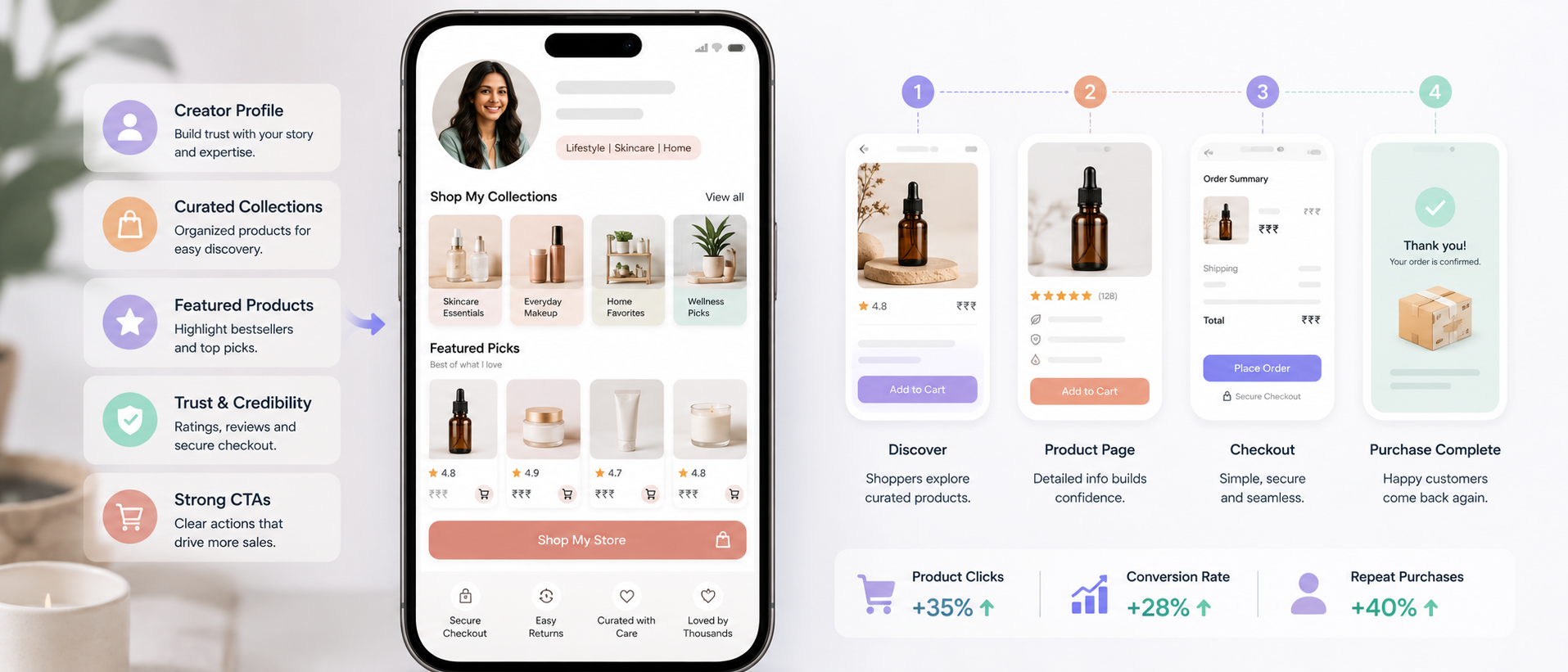
Creating a storefront is only the first step. Its structure can influence how easily visitors understand what to do next.
1. Clear Creator Branding
Visitors should immediately know whose storefront they are viewing.
Include:
Recognizable profile image
Creator name
Clear niche or positioning
Short description
Consistent branding
The storefront should feel like an extension of the creator's social profile.
2. Relevant Product Collections
Avoid turning the storefront into an unorganized product list.
Group recommendations into useful collections, such as:
Best Budget Picks
My Everyday Favorites
Beginner Essentials
Creator Equipment
Travel Favorites
Relevant collections can help visitors find products based on their interests or needs.
3. Strong Calls to Action
Visitors should understand what they can do next.
Instead of vague labels, use specific CTAs such as:
Shop My Favorites
Explore My Top Picks
See Budget Picks
Shop My Setup
View Travel Essentials
The CTA should match the product and the user's likely intent.
4. Useful Product Information
A recommendation becomes more useful when the creator explains why they selected it.
Where appropriate, provide:
Product purpose
Main benefit
Ideal user
Creator's reason for recommending it
Important limitation
Relevant price or budget category
Keep descriptions useful rather than unnecessarily long.
5. Trust Signals
Trust is important when creators monetize recommendations.
Creators should:
Be transparent about affiliate relationships.
Clearly identify sponsored recommendations where required.
Avoid misleading product claims.
Recommend products that genuinely fit the audience.
Provide balanced opinions when appropriate.
For Instagram affiliate and branded content, creators should also review Instagram's official branded content guidance so disclosures are handled appropriately.
6. Simple Purchase Journey
Once a visitor decides to buy, the next action should be obvious.
Avoid unnecessary distractions between product discovery and the available purchase action.
A focused journey can help maintain the momentum created by the original recommendation.
7. Mobile-Friendly Design
Test the storefront from a smartphone before promoting it.
Check these elements:
Page loading
Product images
Text readability
Button placement
Scrolling
Product navigation
Purchase flow
How to Increase Sales From Your Creator Storefront
Once the basic storefront is ready, use a systematic approach to improve it.
1. Match Products to Your Niche
The strongest storefront is not necessarily the one with the most products.
Choose products that make sense for your audience.
A gaming creator should prioritize gaming-related recommendations, while a travel creator should focus on products relevant to travel.
The closer the connection between content, audience, and product, the more natural the recommendation becomes.
2. Create Curated Collections
Instead of displaying dozens of products together, organize them around specific use cases.
For example:
Creator Setup
Camera
Microphone
Lighting
Tripod
Budget Creator Setup
Affordable microphone
Basic lighting
Budget tripod
Entry-level accessories
This gives visitors a clearer starting point.
3. Connect Your Storefront to Your Content
Do not expect followers to discover your storefront automatically.
Use relevant CTAs in your content.
For example:
"I've added all the products from today's setup to my storefront."
The content creates demand while the storefront provides the destination.
Creators who want to turn this into a broader monetization strategy can also learn how to start monetizing as a creator.
4. Use One Clear CTA
Too many competing CTAs can make the next step unclear.
If a Reel is promoting one product, direct viewers toward that product.
If a video covers several products, direct viewers toward the relevant collection.
5. Update Products Regularly
Products, prices, availability, trends, and audience preferences can change.
Review your storefront regularly and:
Remove outdated products.
Update collections.
Replace unavailable recommendations.
Add new relevant products.
Move strong performers into prominent positions.
6. Track Clicks and Conversions
Do not judge your storefront only by the number of visitors.
Look at what happens after visitors arrive.
For example:
High traffic + low product clicks: The layout or product selection may need improvement.
High product clicks + low conversions: There may be an issue further along the purchase journey.
High conversions on one product: Consider creating more content around that product or category.
7. Double Down on Products That Perform
Your best-performing products can reveal what your audience actually wants.
If one category consistently generates more engagement and sales:
Identify the product or category.
Study the content that generated the traffic.
Create additional useful content around the topic.
Feature related products.
Monitor the results.
This turns storefront data into a content strategy.
How Zokera Helps Creators Increase Sales
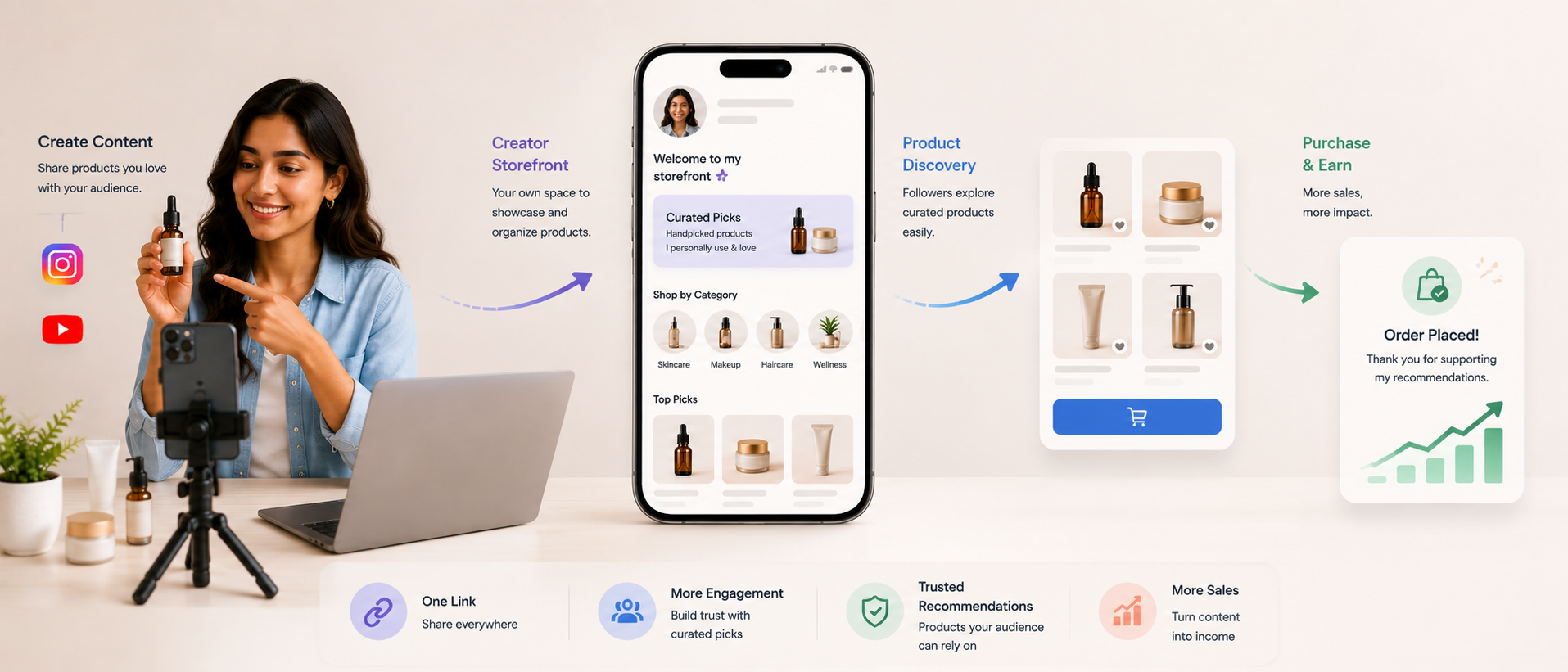
Zokera helps creators turn social traffic into a more organized shopping and monetization experience through:
Creator Storefront: Showcase recommended products in one dedicated destination.
Curated Collections: Organize products into relevant collections for easier discovery.
Real-Time Analytics: Track product clicks, sales, and storefront performance.
Zokera Wallet: Manage earnings, referrals, and payouts in one place.
Follower Cashback: Give followers cashback benefits on eligible purchases.
Brand Partnerships: Access opportunities through 1000+ brand partnerships.
Together, these features help creators connect their content, product recommendations, audience engagement, and monetization in one creator-commerce experience.
Common Creator Storefront Mistakes That Reduce Sales
Avoid these common problems:
1. Adding Too Many Products
More products do not automatically mean more sales.
An overcrowded storefront can make it difficult for visitors to know where to start.
Better approach: Feature the most relevant products first and organize the rest into collections.
2. Using Generic Product Recommendations
A product should have a reason for being on your storefront.
Better approach: Explain why you selected it and who it is useful for.
3. Giving Visitors Too Many Choices
Too many options can make decision-making harder.
Better approach: Use featured products and curated collections to guide visitors.
4. Ignoring Mobile Experience
A storefront that works well on desktop may still be difficult to use on a phone.
Better approach: Test the complete shopping journey on mobile before promoting it.
5. Not Connecting Content With Products
A storefront cannot create demand on its own.
Your content should introduce the problem, product, or recommendation that makes followers want to visit the storefront.
6. Never Reviewing Sales Data
Without performance analysis, creators may continue promoting products that generate clicks but few sales.
Better approach: Review performance regularly and adjust your content and product selection.
How to Measure Whether Your Creator Storefront Is Increasing Sales

To understand whether your storefront is working, track the complete journey rather than looking at one metric.
Storefront Visits
This tells you how many people are reaching your shopping destination.
If visits are low, the problem may be content distribution or CTA visibility rather than the storefront itself.
Product Clicks
Product clicks show whether visitors are interested in the recommendations displayed.
A high number of storefront visitors but few product clicks may indicate that your product layout, descriptions, or collections need improvement.
Conversion Rate
Conversion rate helps you understand how many users who take a relevant shopping action complete the desired outcome.
Tracking this over time can help identify which products and campaigns perform best.
Revenue
Revenue provides a direct view of the commercial outcome.
Compare revenue with the content that generated the traffic to identify which topics and formats contribute most to sales.
Top-Performing Products
Look for patterns across:
Product categories
Price ranges
Brands
Content formats
Audience segments
These insights can guide both your storefront and future content.
Traffic Source
If your analytics support source tracking, compare traffic from different channels.
For example, you may find that:
Instagram Stories generate strong product clicks.
Reels bring high storefront traffic.
YouTube videos generate longer-term product discovery.
Blog content brings search-based visitors.
Use these insights to decide where to focus your future content efforts.
Creators looking for additional ways to improve their storefront strategy can also explore how to convert Instagram followers into customers.
Conclusion
A creator storefront can turn an existing social audience into a more structured shopping opportunity without requiring a traditional website. Instead of sending followers through multiple destinations, creators can bring relevant products together in one focused experience.
The key is not simply creating a storefront. A Creator storefront increases sales when the storefront, products, content, and audience intent work together.
Choose products that fit your niche, organize them clearly, connect them with useful content, make the purchase journey simple, and use performance data to improve your strategy over time.
Frequently Asked Questions (FAQs)
1. Can a creator storefront increase sales without a website?
Yes. A creator storefront can give social-media audiences a focused place to discover products and take shopping actions without requiring the creator to build a full traditional website.
2. How does a creator storefront help increase sales?
It can connect social content with curated products, reduce unnecessary navigation, simplify product discovery, and give creators a dedicated destination for interested followers.
3. Do I need a website to sell products as a creator?
Not necessarily. Creators can use storefront-based selling solutions to organize and promote relevant products without first building a complete website.
4. Is a creator storefront better than a link-in-bio page?
A basic link-in-bio page primarily directs visitors to different destinations. A creator storefront can provide a more focused product discovery and shopping experience when selling or recommending products is the main goal.
5. What should I put on my creator storefront?
Include products that are genuinely relevant to your niche and audience. Organize them into useful collections and provide clear calls to action and helpful product context.
6. How can I get more sales from my creator storefront?
Connect your storefront with relevant social content, use curated product collections, make CTAs clear, optimize the mobile experience, and review performance data to identify which products and content perform best.
Comments (0)
Be the first to comment.